The short answer: a resident app should be the one place residents go for everything the building does for them. Opening doors, answering the intercom, inviting a guest, getting a parking permit, reading a building notice, booking an amenity, tracking a package and reporting a repair should all happen in the same app, with one login. The test is simple: the moment a resident has to leave the app, or gets sent into a separate screen run by another company, the building's systems aren't really working together, and the experience breaks.
The test: does the resident ever have to leave?
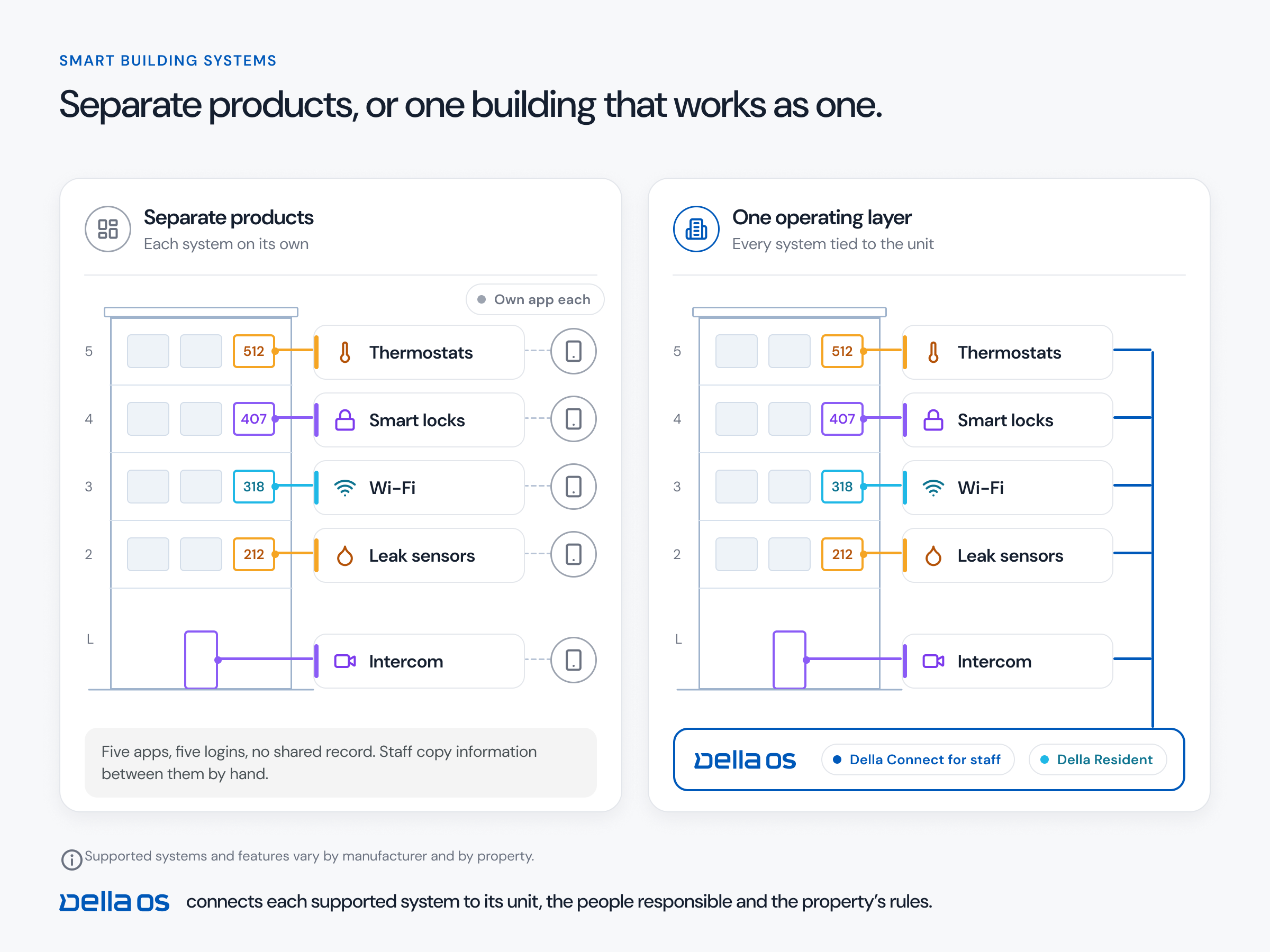
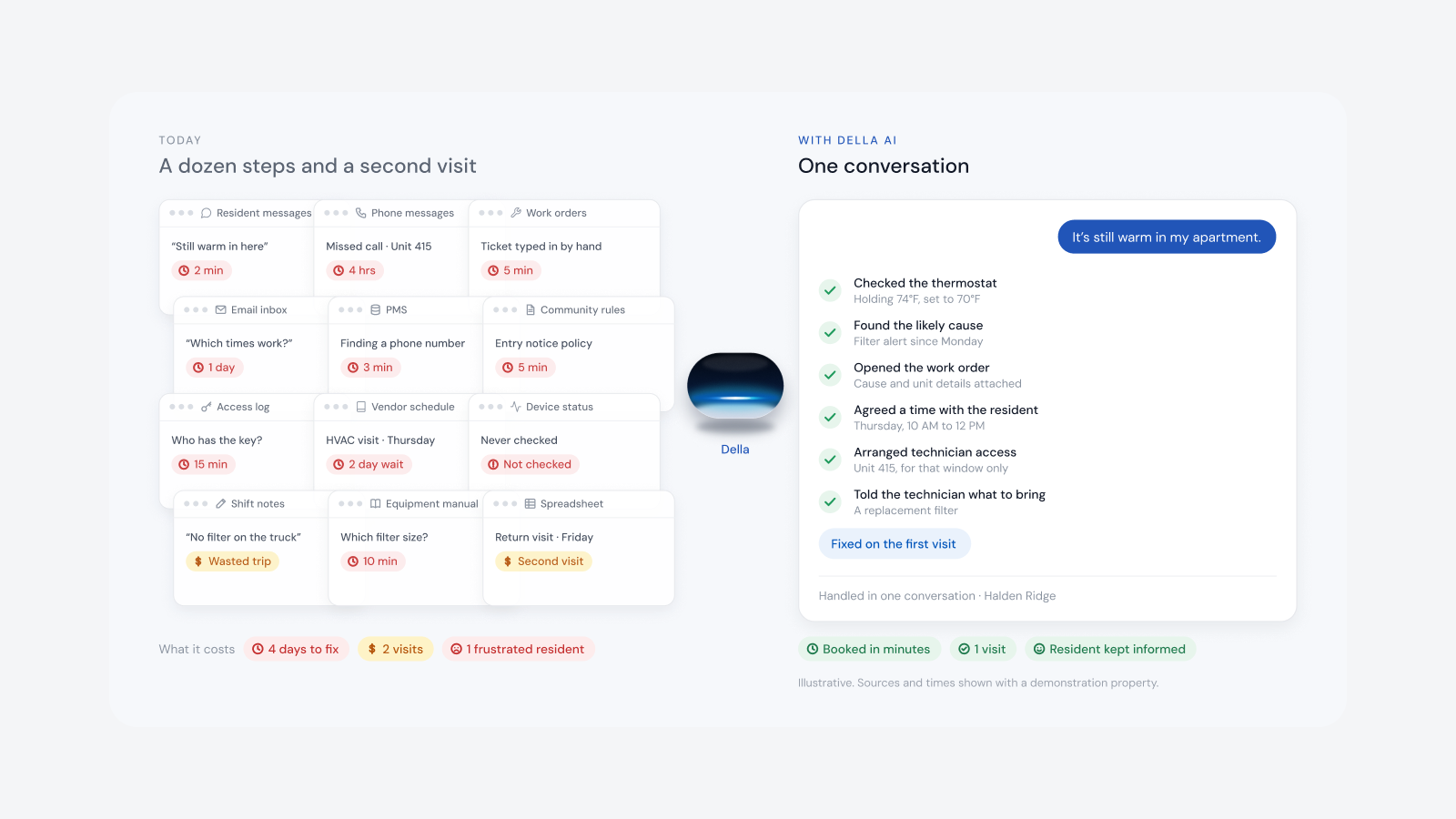
Walk through a normal week for a resident in Unit 1103. A visitor calls from the front entrance. A guest is coming Saturday. They need a parking permit, there's a water shutoff notice, and the dishwasher is leaking. In a connected building, every one of those happens in one app. In most buildings today, the intercom call goes to a different app, parking is a website, the notice is a paper on the door and the guest pass is a text to the office. Each handoff is a place where the resident gets lost and the site team gets a call.
Watch for apps that look complete but quietly hand residents off: a button that opens another vendor's app, an embedded screen with a different login, or a link out to a website. Those are signs the systems behind the app aren't connected. They're just sitting side by side.
What a resident app should do, without leaving the app
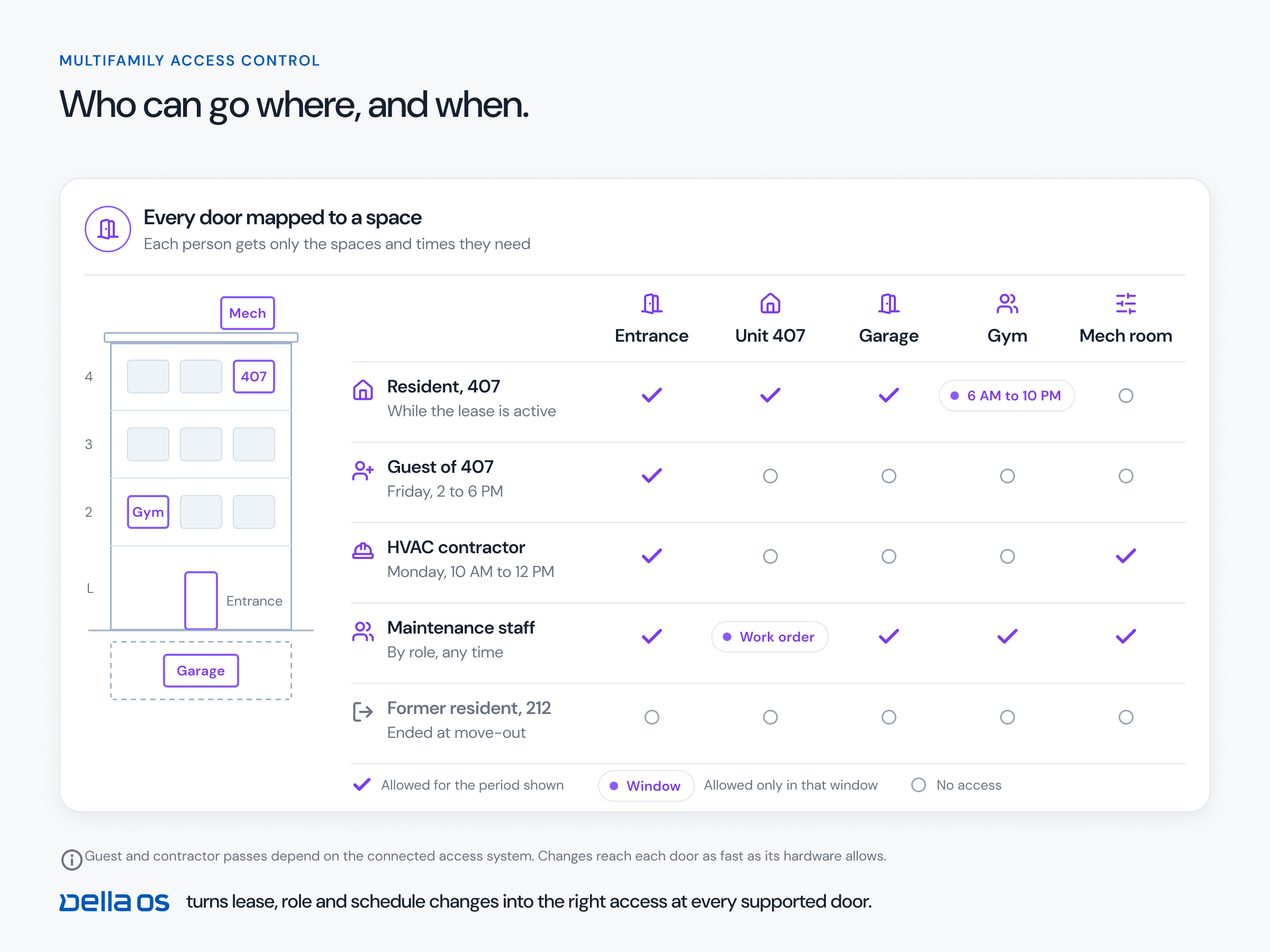
- Access. Open the unit and building doors with a tap, a phone key or a passcode, on the hardware the property already has.
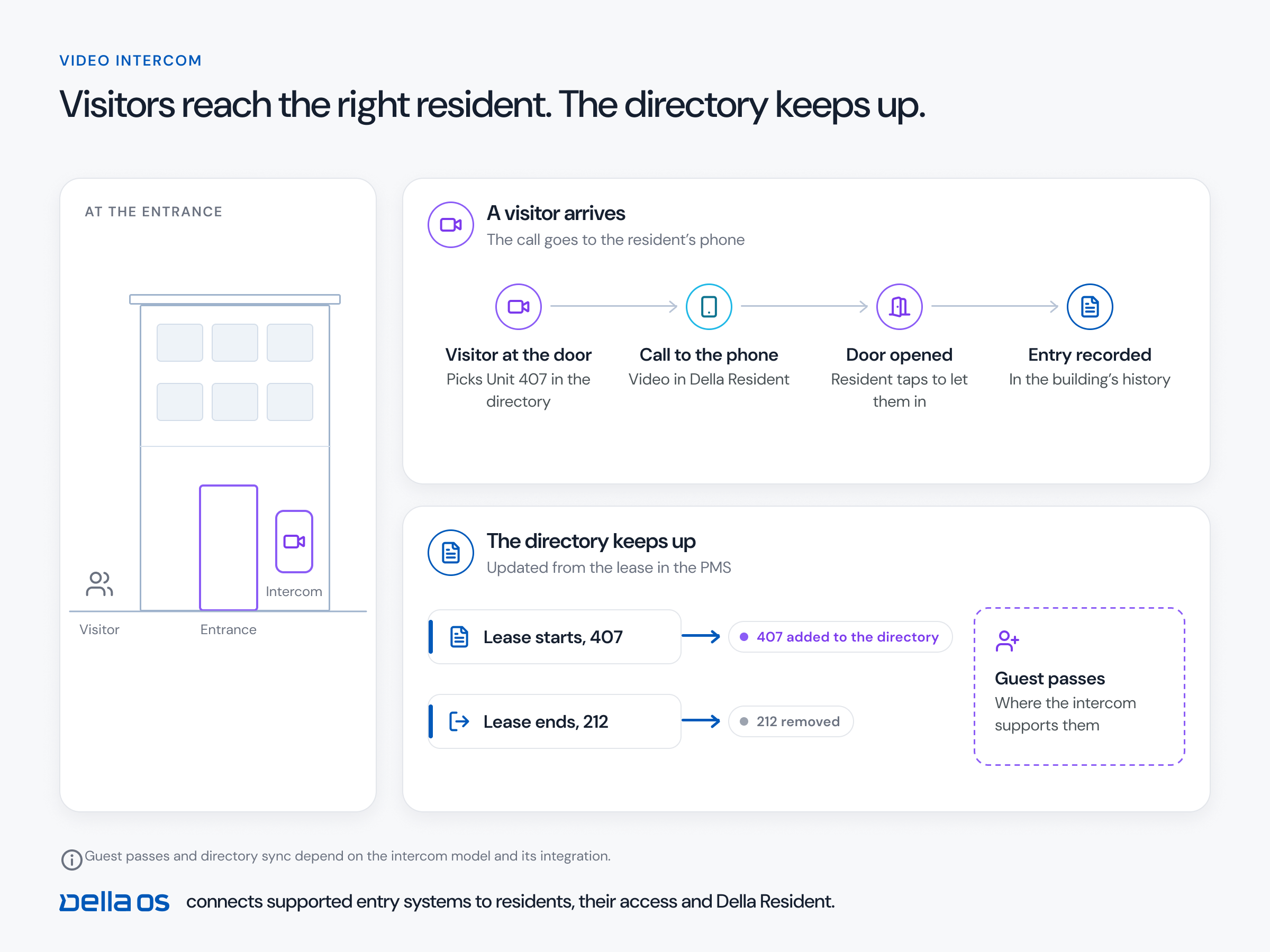
- Intercom. See and answer a visitor at the entrance and open the door, where the intercom is connected.
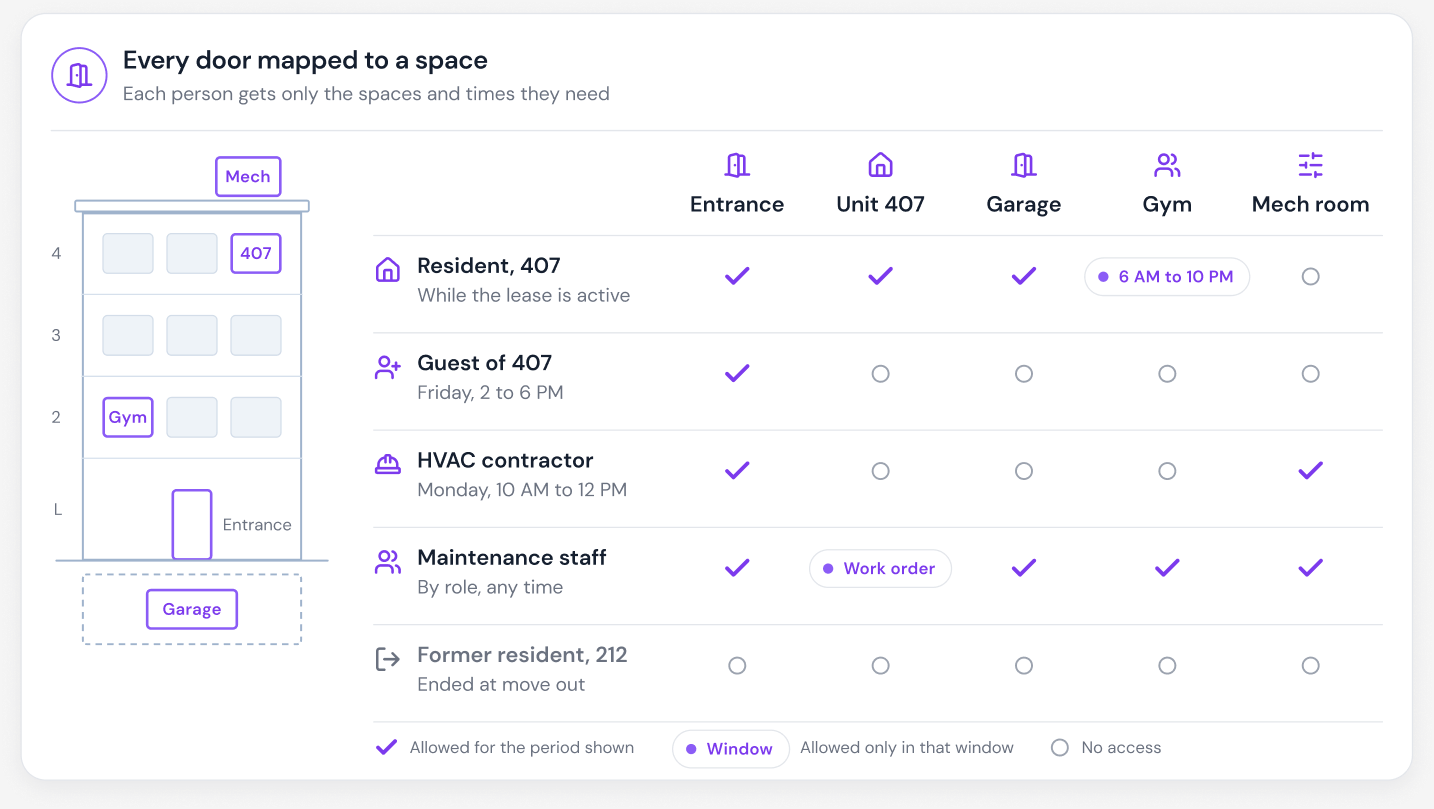
- Guests and deliveries. Create a pass limited to the right doors and times, under the property's rules.
- Parking. See an assigned space and request guest permits.
- Notices and messages. Read building announcements and talk to the property team.
- Requests and forms. Report maintenance with photos, answer surveys and complete documents the property sends.
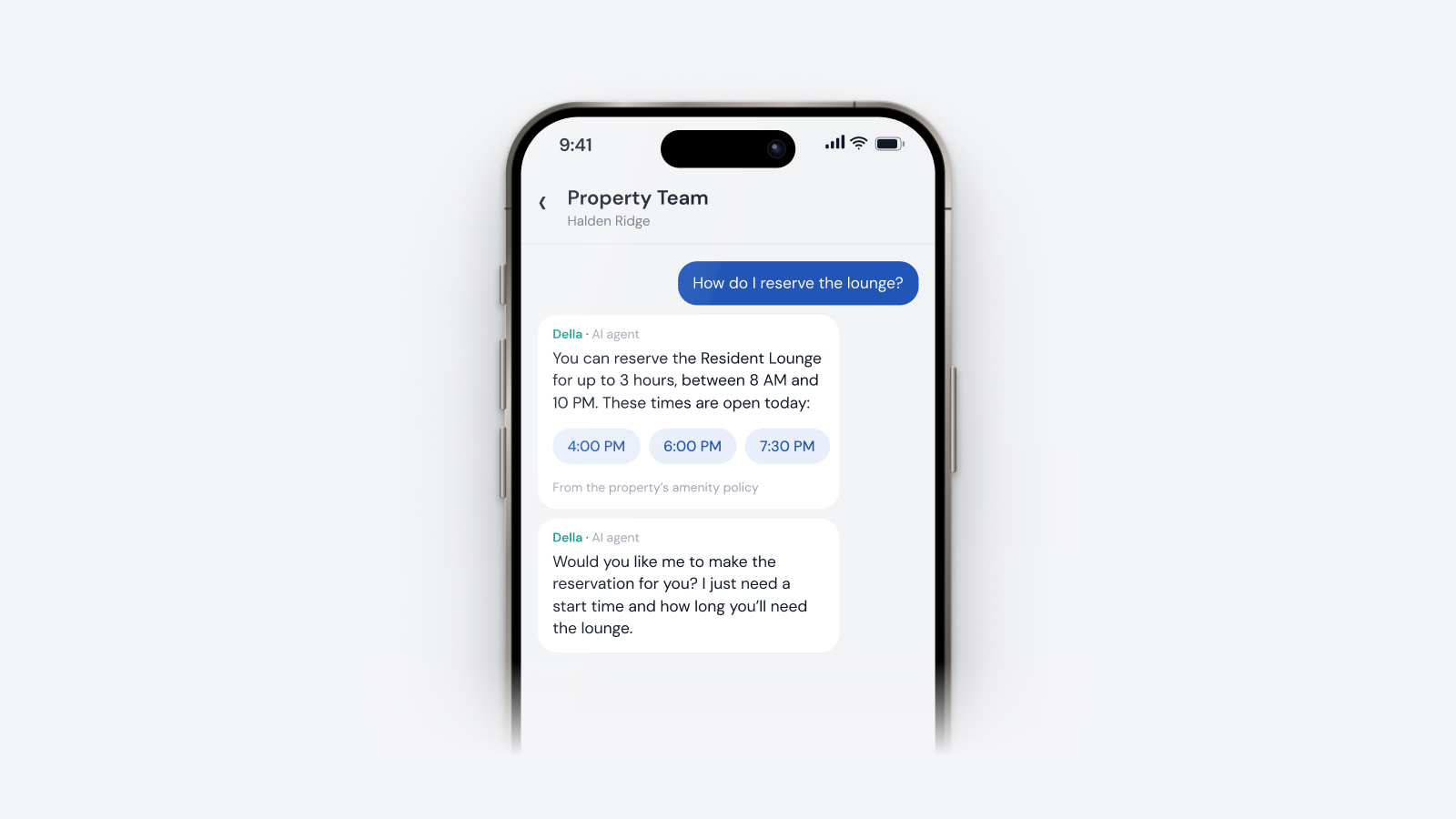
- Amenities and packages. Book a space and have the door open only for the booking; know when a package arrives.
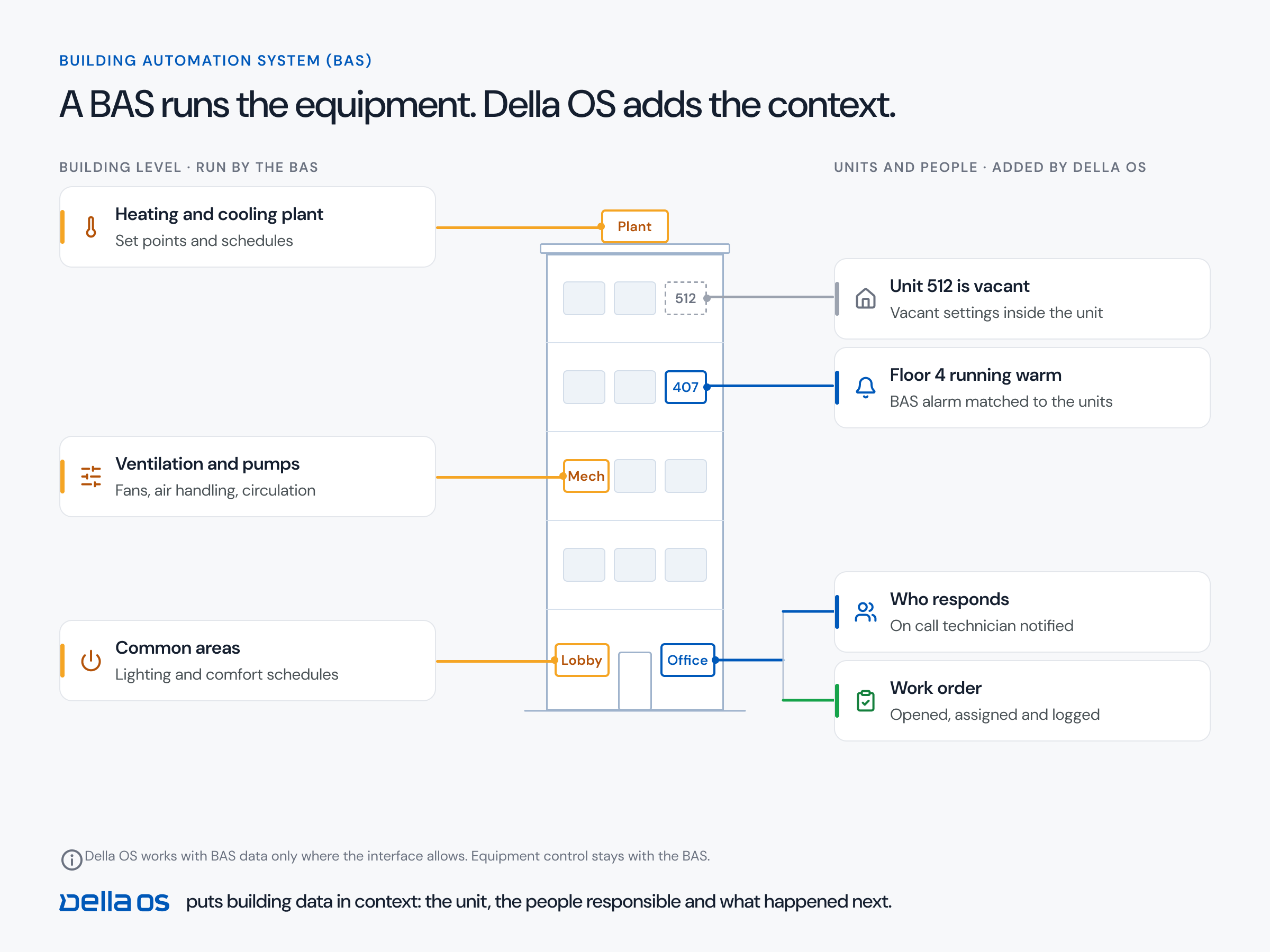
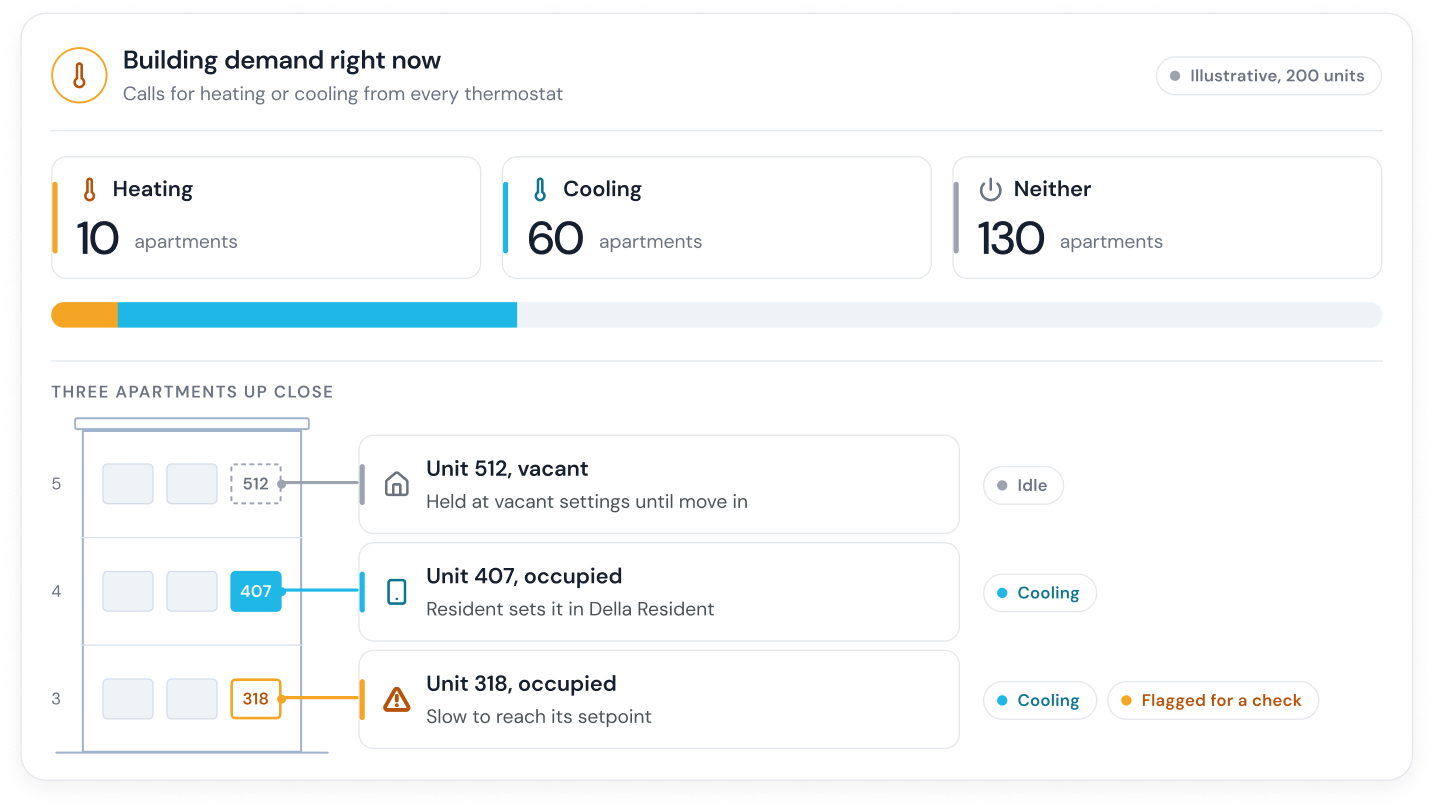
- Smart home and services. Control the thermostat and lock, and sign up for approved services such as internet or insurance.
The one usual exception: rent
Rent payments usually stay in the property management system's own payment portal. That's normal and fine. Everything else the building does for a resident should live in one app.
Why it matters even more with AI
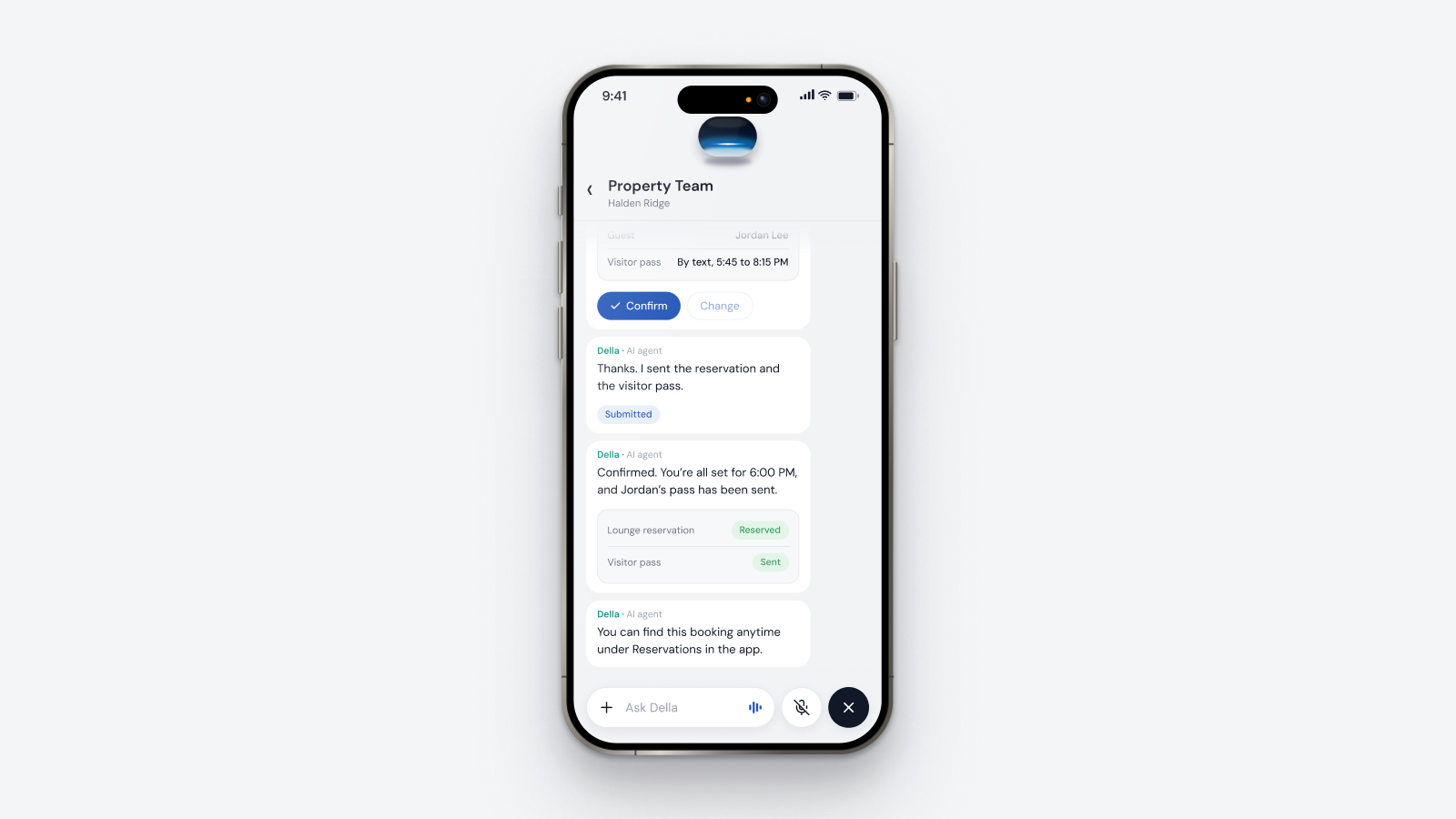
Many resident apps now include an AI assistant. An assistant can only answer about what the app is actually connected to. If the intercom, parking and notices live somewhere else, the assistant can't see them, can't act on them and ends up sending the resident somewhere else again. One connected app is what makes a resident assistant genuinely useful.
The center of the building
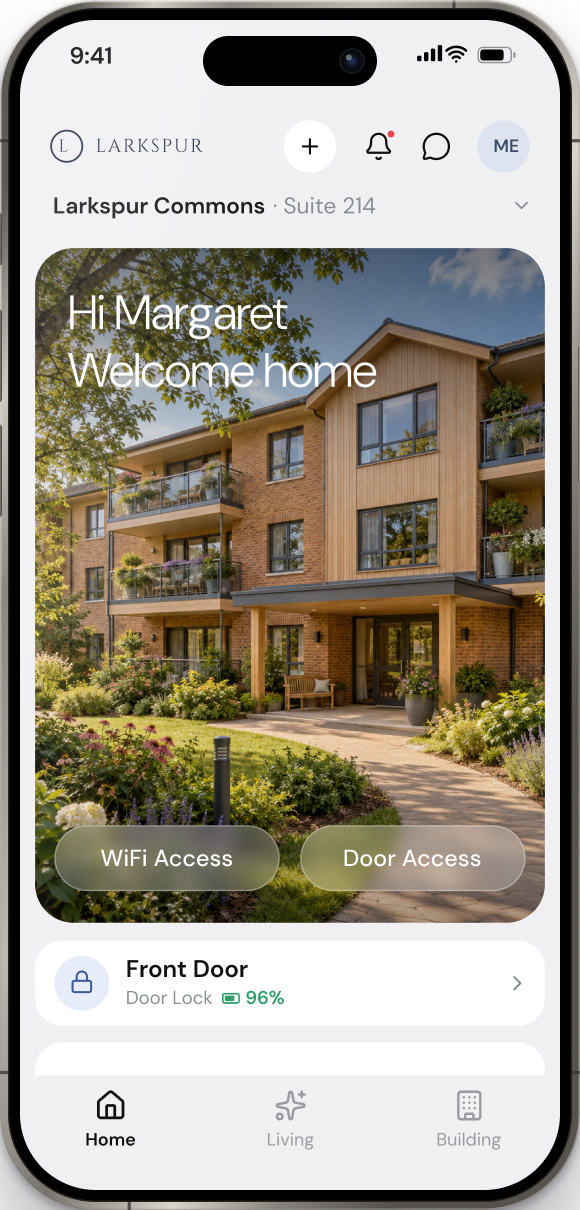
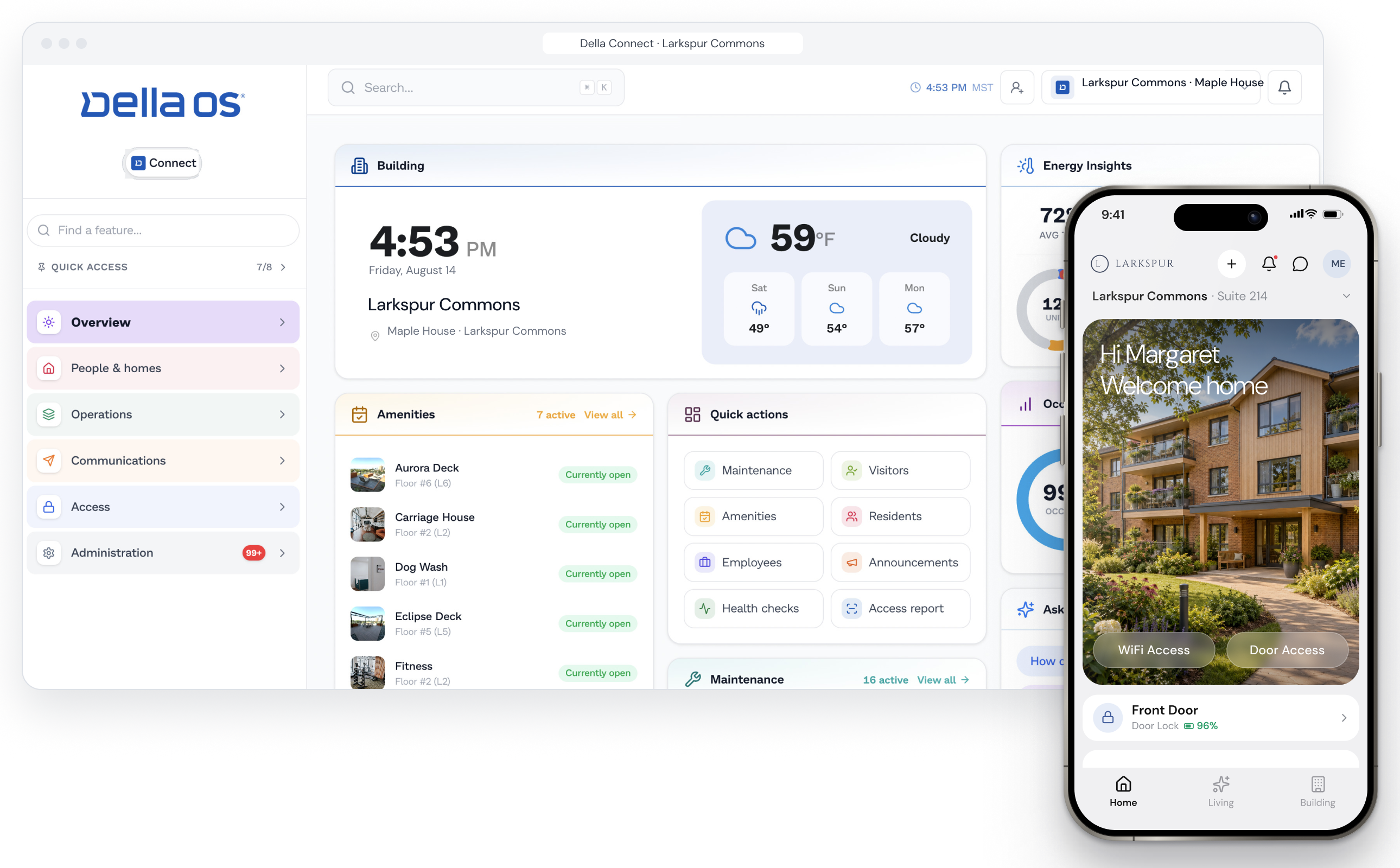
When everything lives in one place, the app becomes the center of the building. Residents know exactly where to look for a notice, a survey, a form, a request or a package, and the property knows every message reaches them. Small touches matter too: an app that opens with the building's own logo and photo feels like home, not like software.
How to choose a resident app, step by step
- List every app and website residents use today. Door, intercom, parking, packages, thermostat, Wi-Fi, maintenance and notices.
- Run the week. Ask each vendor to show a visitor call, a guest pass, a parking permit, a notice and a repair request, live, and count every time the resident leaves the app.
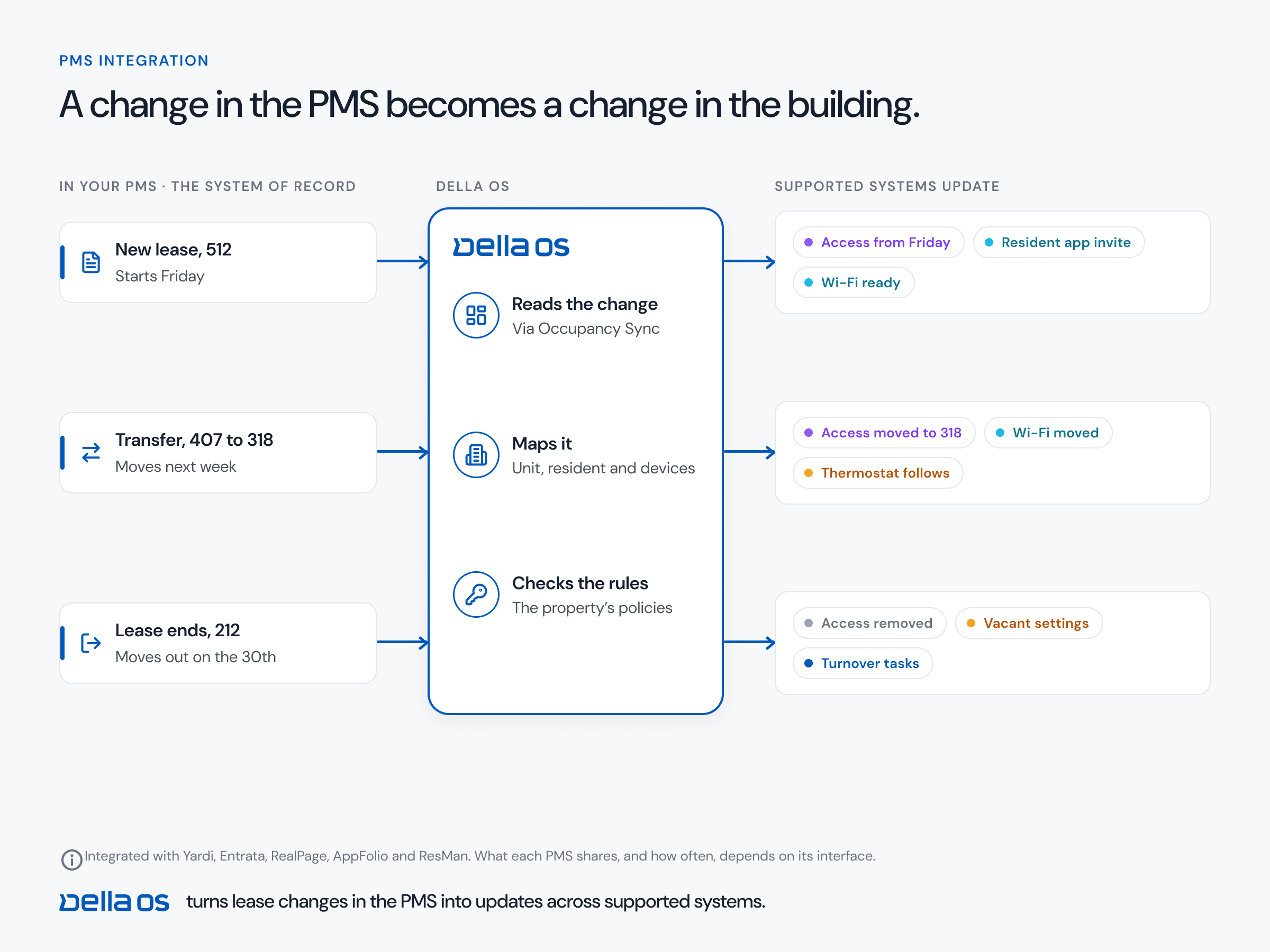
- Check the lease connection. Accounts, access and services should start when a lease starts and end at move out, driven by your PMS.
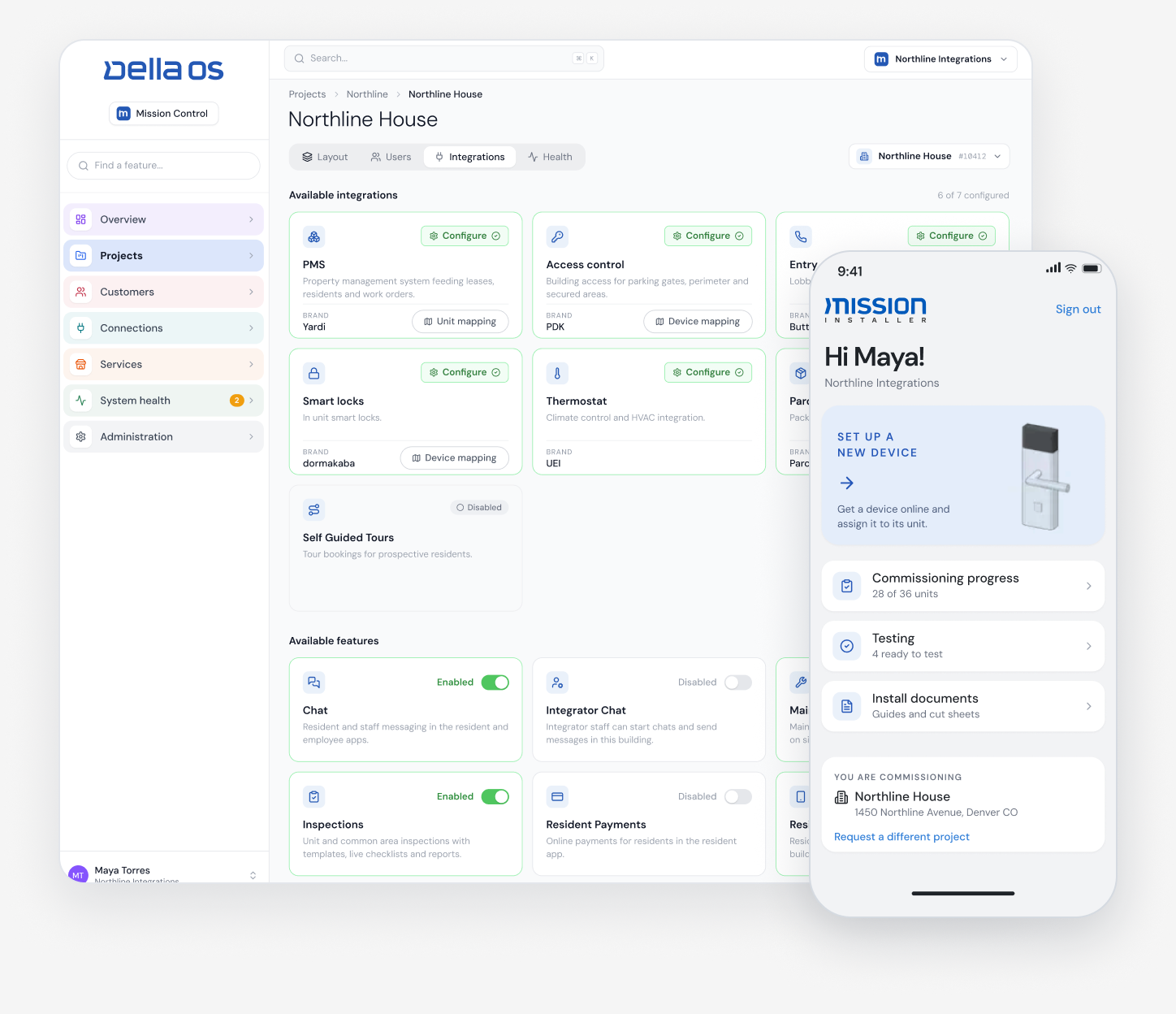
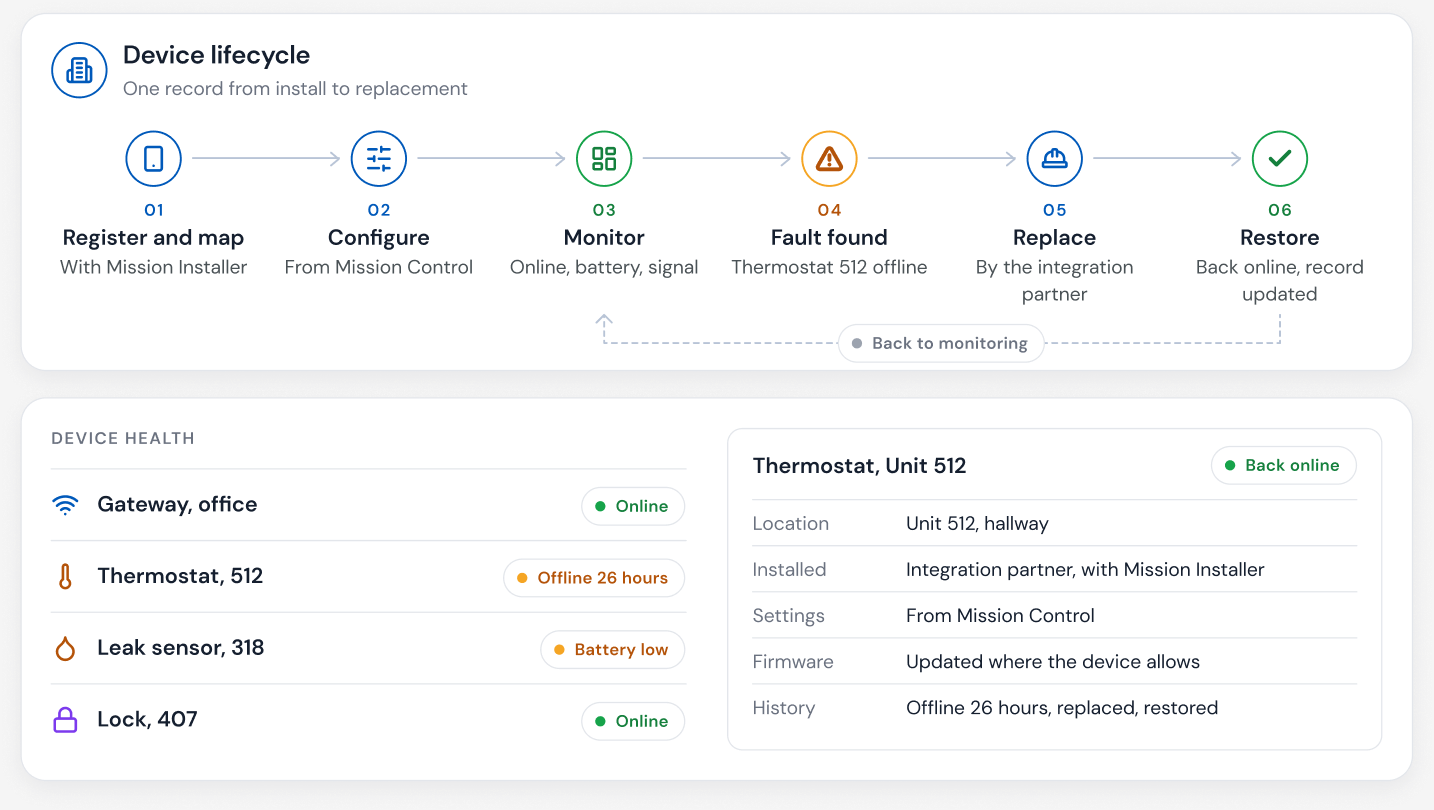
- Check your hardware. The app should work with the locks, readers, intercoms and thermostats you already have.
- Ask the assistant a hard question. If it can't answer about parking or the intercom, those systems aren't connected.
- Pilot one property. Measure office calls, move in time and resident feedback.
Where Della OS fits
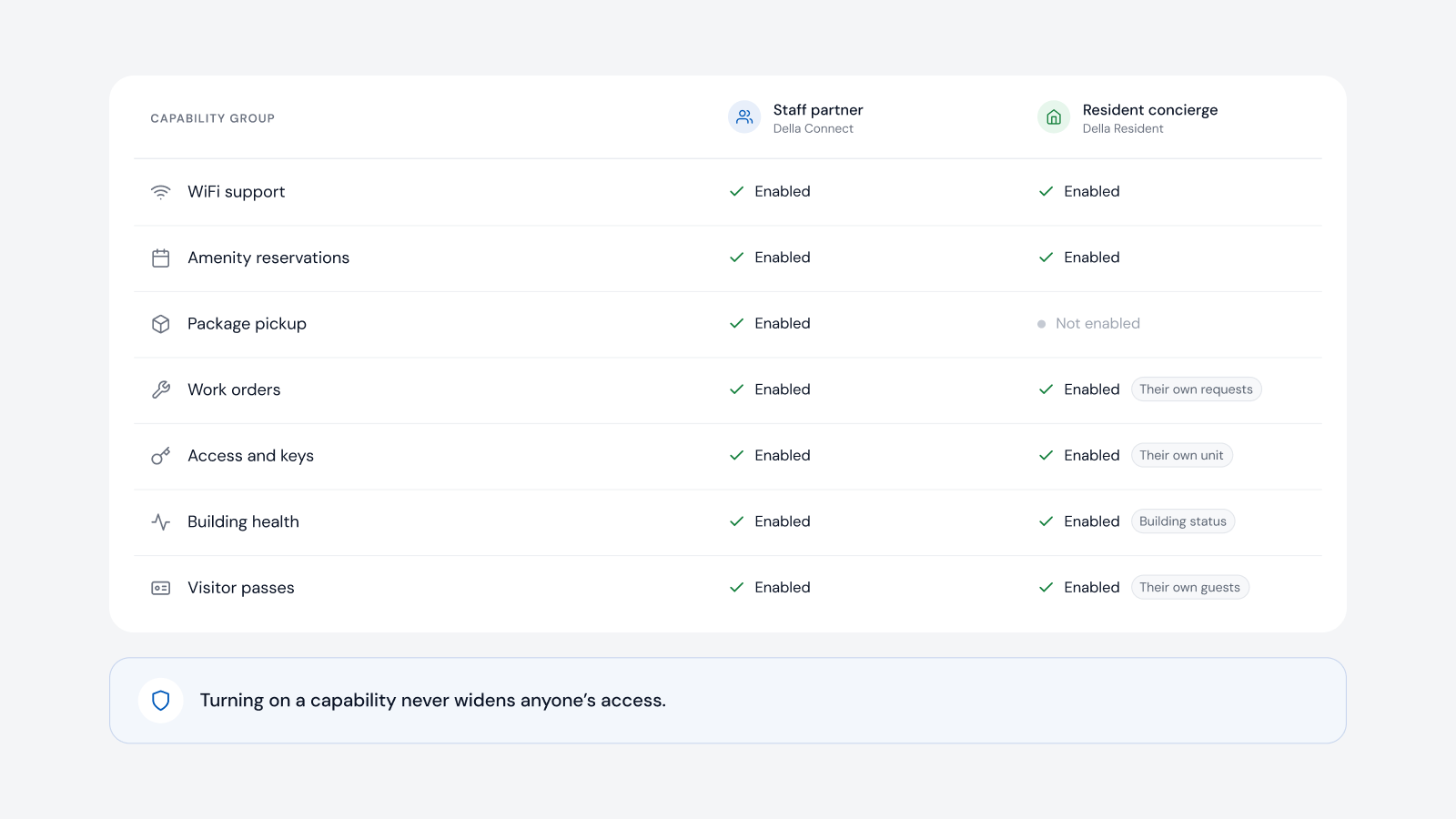
Della OS is the smart building operating system for multifamily and residential properties, from apartments and student housing to senior living and condominiums. Its resident app, Della Resident, on iOS and Android, brings access, the intercom, guests, parking, amenities, packages, maintenance, notices, surveys, smart home controls and approved services into one app, because each of those systems is connected to Della OS rather than linked out to another app. When a lease is created in Yardi, Entrata, RealPage, AppFolio or ResMan, the resident is invited, and access, Wi-Fi and services follow the lease from move in to move out. Each building can show its own logo and building photo, set in seconds by the property team in Della Connect, so residents see their building every time they open the app. The resident concierge in Della AI works across everything the app is connected to, within the property's rules.
Frequently asked questions
What should a resident app do?
Everything the building does for a resident, in one app with one login: access, the intercom, guests, parking, notices, amenities, packages, maintenance, forms and services. Rent usually stays in the PMS's payment portal.
Why does leaving the app matter?
Every handoff to another app, website or embedded screen is a sign the building's systems aren't connected, and it's where residents get lost and call the office.
Can residents answer the intercom in Della Resident?
Yes, where the property's intercom is connected to Della OS. Compatibility is confirmed model by model.
Can each building have its own look?
Yes. Each building can show its own logo and building photo in Della Resident, set by the property team in Della Connect.
Does a resident AI assistant need everything in one app?
To be truly useful, yes. An assistant can only answer and act on the systems the app is connected to.
What happens at move out?
When the lease ends in the PMS, the resident's access and services end automatically.
Read what a resident app is, how to evaluate a resident AI concierge and the move in, transfer and move out checklist, or book a walkthrough.