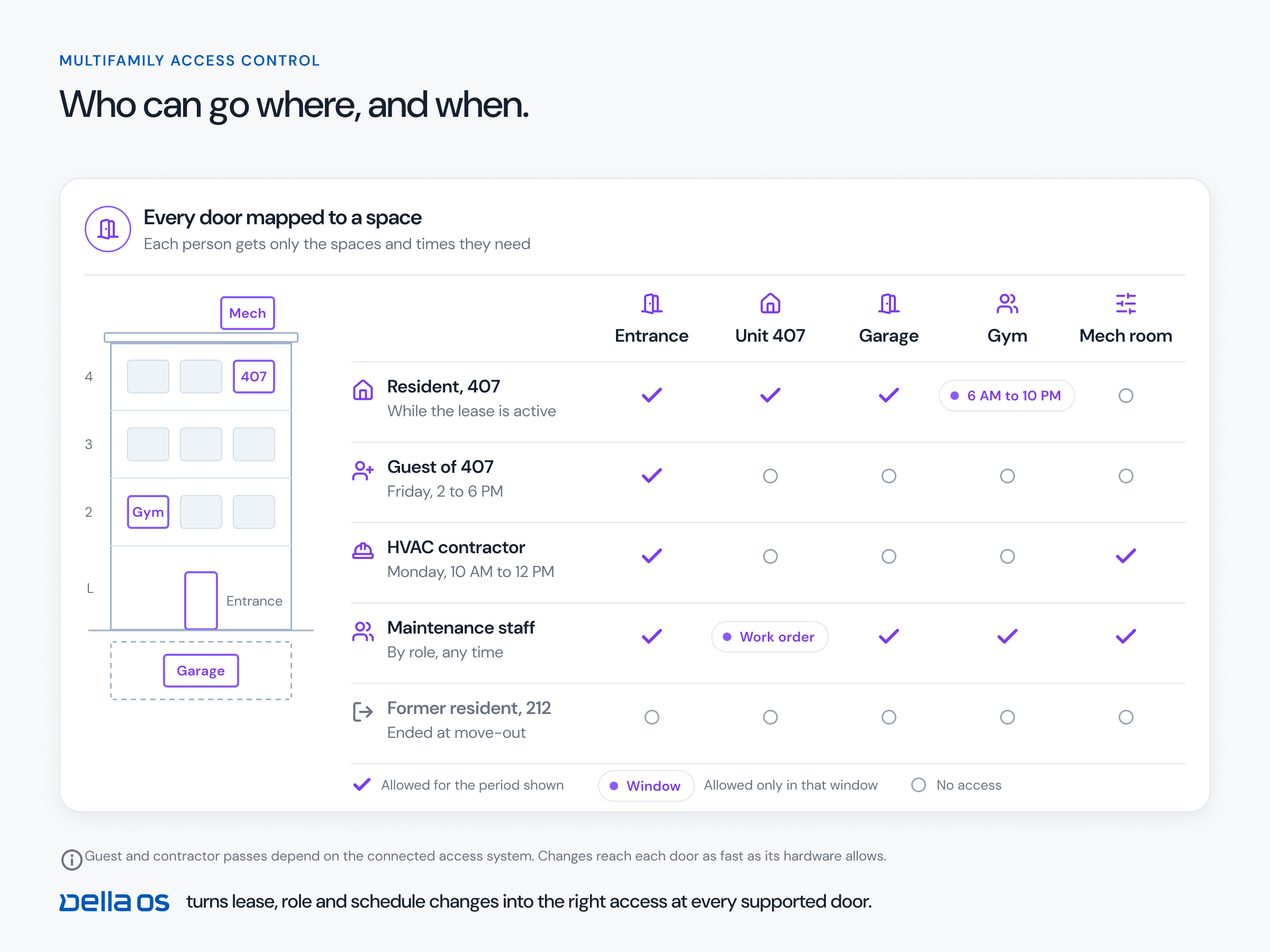
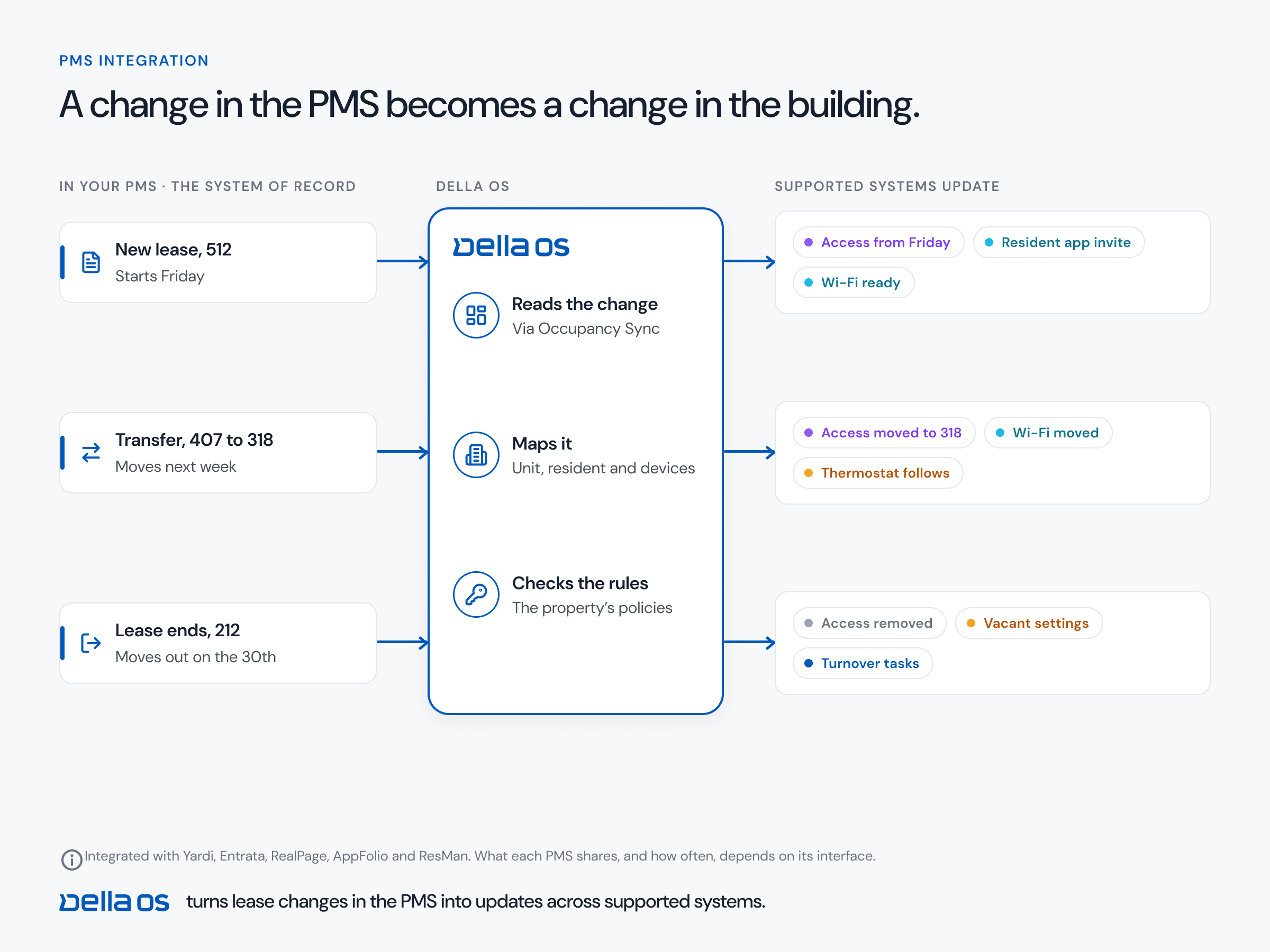
The short answer: A lease change should reach far more than the door. At move in, the digital key, WiFi, intercom listing, parking, mailbox, parcel lockers, storage, amenity access, unit settings and the resident app should all be ready. At a transfer, all of it should move. At move out, all of it should be released. With Occupancy Sync, the move is recorded once in the PMS and everything tied to it follows.
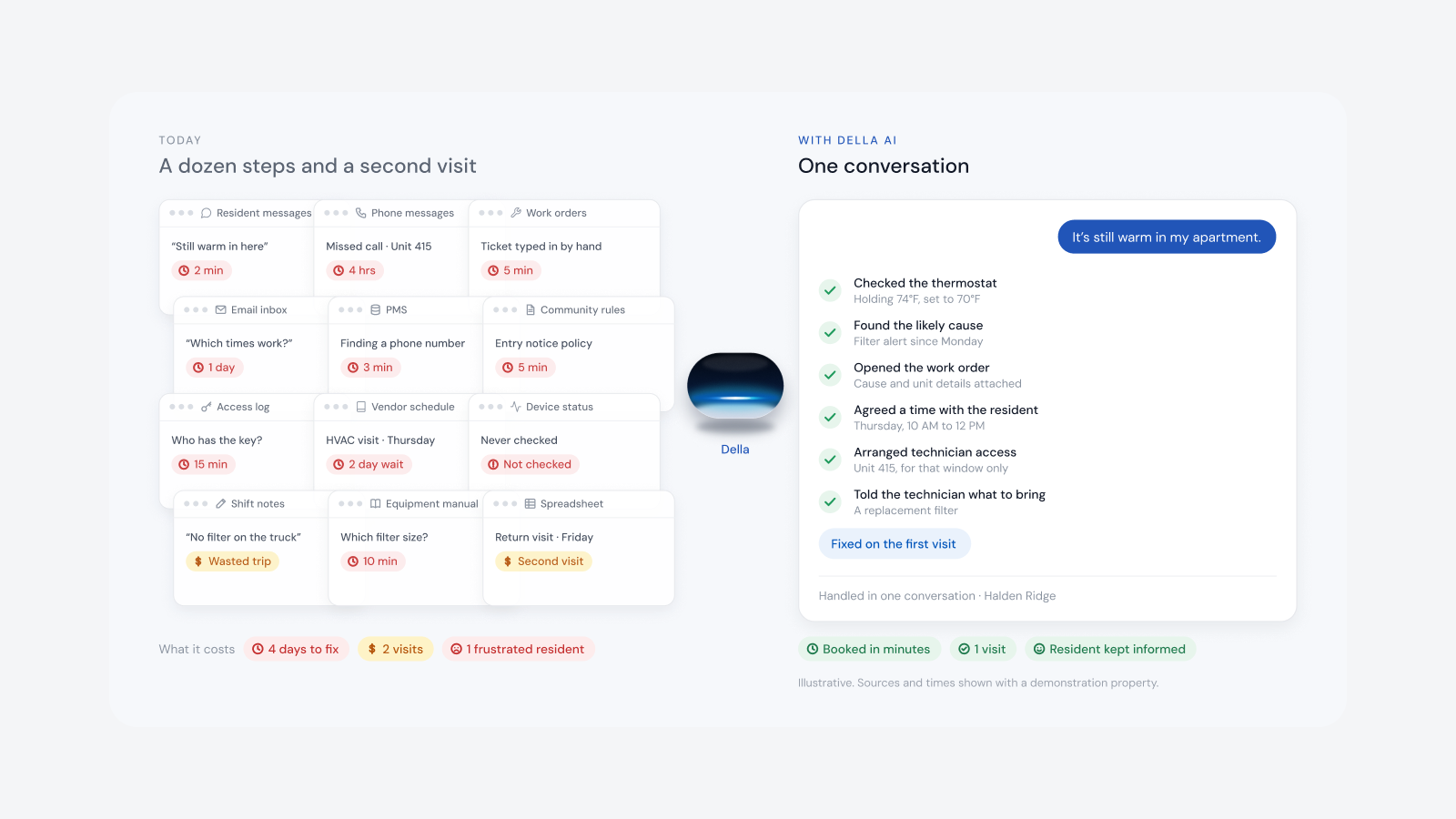
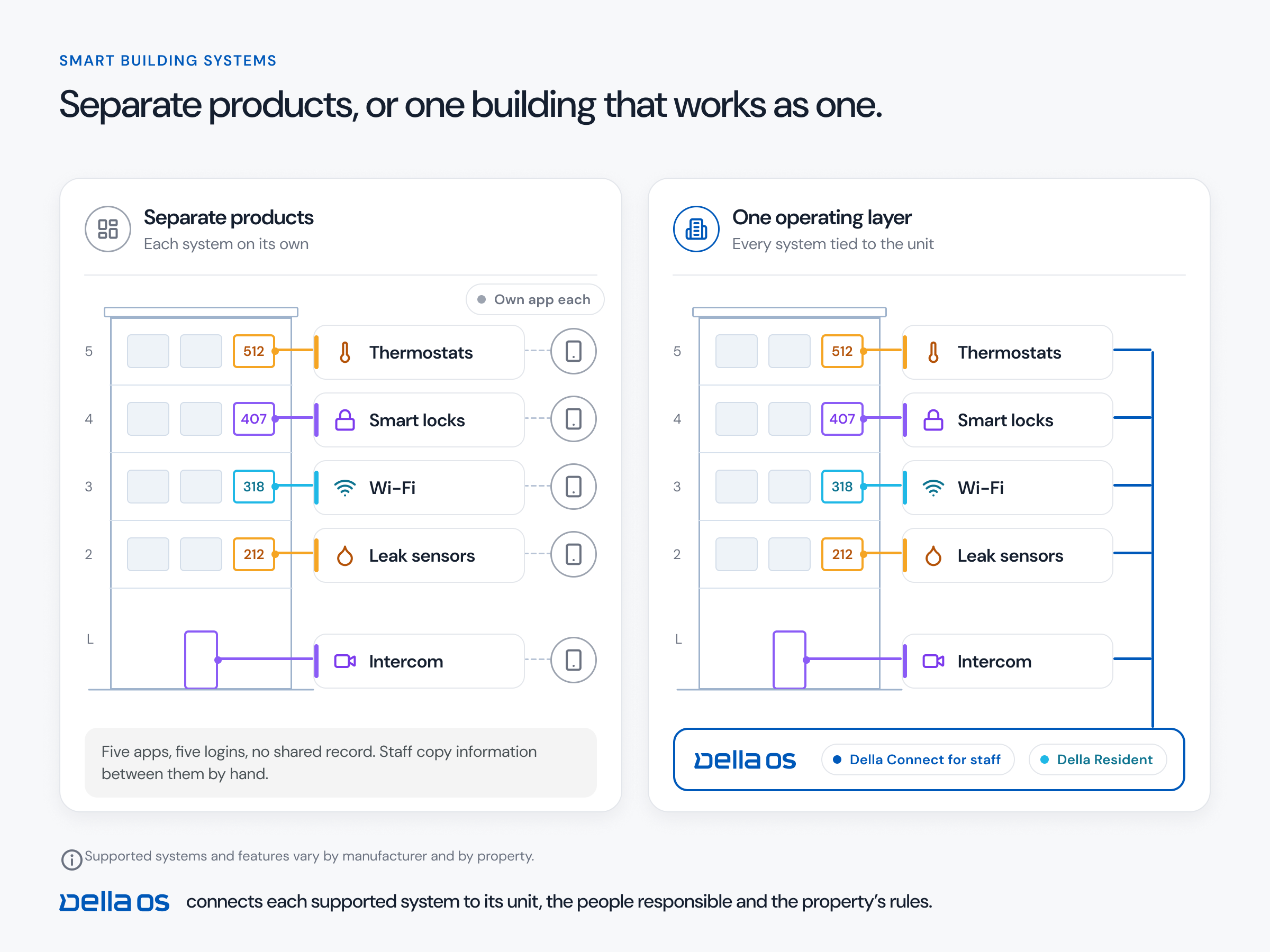
Every move used to start a second job: logging in to each vendor's portal, retyping the same resident and chasing whatever was missed. A typical move in looks like this:
Every portal has to be learned and every change retyped, so something gets missed. It adds up to hours of clerical work per move.
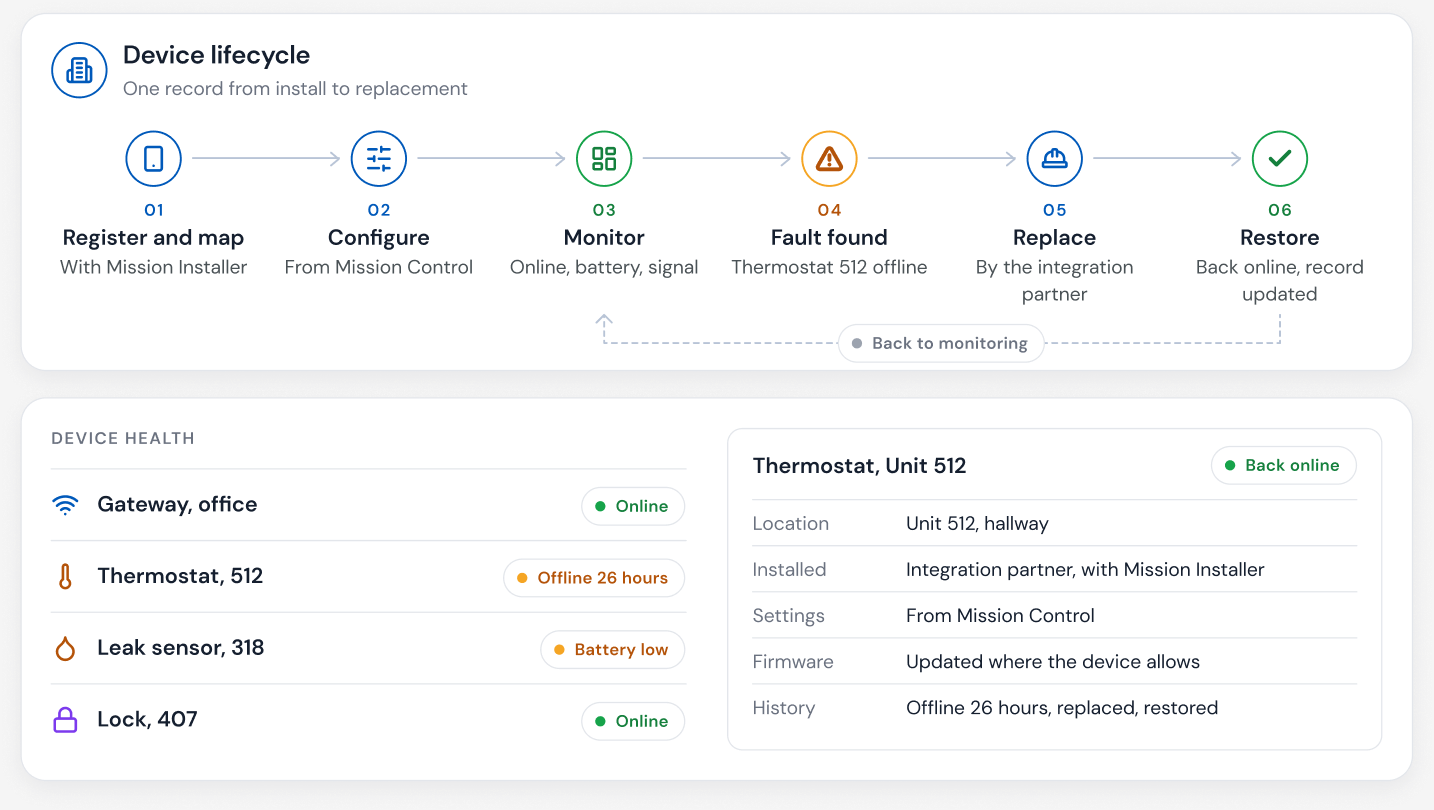
Where the property has these systems connected:
Leases change mid term. When a second occupant joins, their access should follow, along with details such as pet registration and a second vehicle on the parking record. None of it should mean another round of portal updates.
A transfer is a move out and a move in on the same day. The key, WiFi, intercom listing, parking, mailbox, storage, amenity access, services and the pet record should all move to the new home at once.
When every unit carries a current status, inspections stop being a separate list to maintain:
With Occupancy Sync, the team records the move in the PMS, where they already work. Occupancy Sync carries it to every connected system in milliseconds. The team sees it done, or one exception to resolve, such as a parking permit to review.
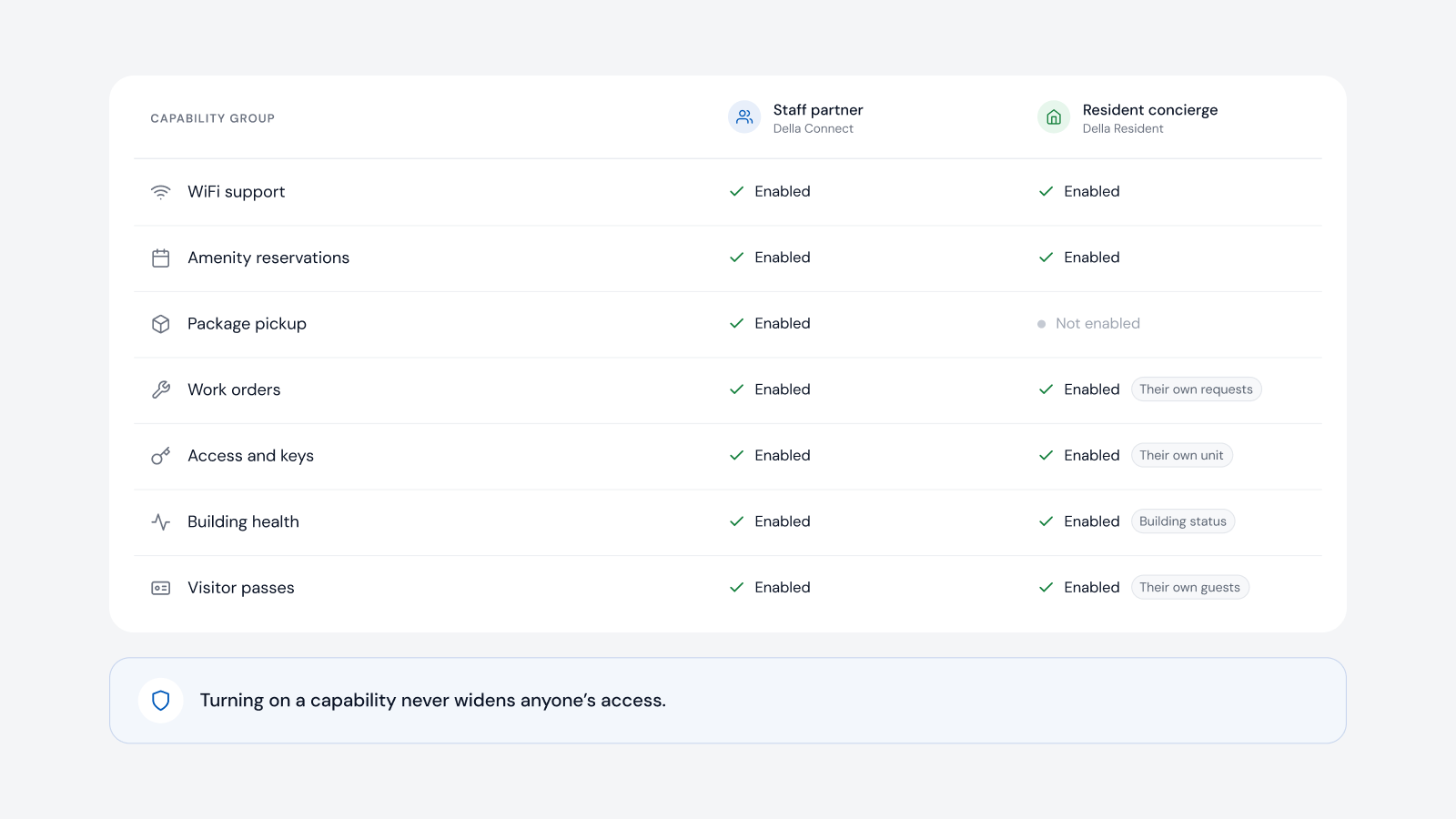
You don't have to connect everything at once. Occupancy Sync can run behind the scenes to keep one service in step with who lives at the property, without rolling out the rest of Della OS. The occupancy connection itself needs no hardware. It is live today with Yardi, Entrata, RealPage, AppFolio and ResMan, with more PMS integrations coming in 2027.
Where those systems are connected: access, WiFi, the intercom listing, parking, mailbox, lockers, storage, amenity access, unit settings and the welcome in the resident app.
Everything tied to the resident moves to the new home together, including services and the pet record.
Not for the occupancy connection. Doors, thermostats and other physical actions need compatible equipment that is connected to Della OS.
See how Occupancy Sync works, read the move in and move out automation glossary entry, or book a walkthrough.
Questions
Keep reading
Della OS walkthrough
Book a walkthrough and we'll show you how Della OS would run one of your properties, with your PMS and the hardware you already have.

Your PMS runs the business.Della runs the building.
Across every system and every property.

Solutions
Digital SignageOccupancy SyncDella MarketplaceSmart ApartmentsStudent HousingCondominiumsSenior LivingIntegrationsResident app