Della OS connects supported smart locks, thermostats, sensors and managed WiFi with resident information and occupancy from your property management system.
Residents get a simpler way to use their home. Property teams get a connected way to manage it, from move in through turnover.
Smart apartment technology, connected to the operation behind it.
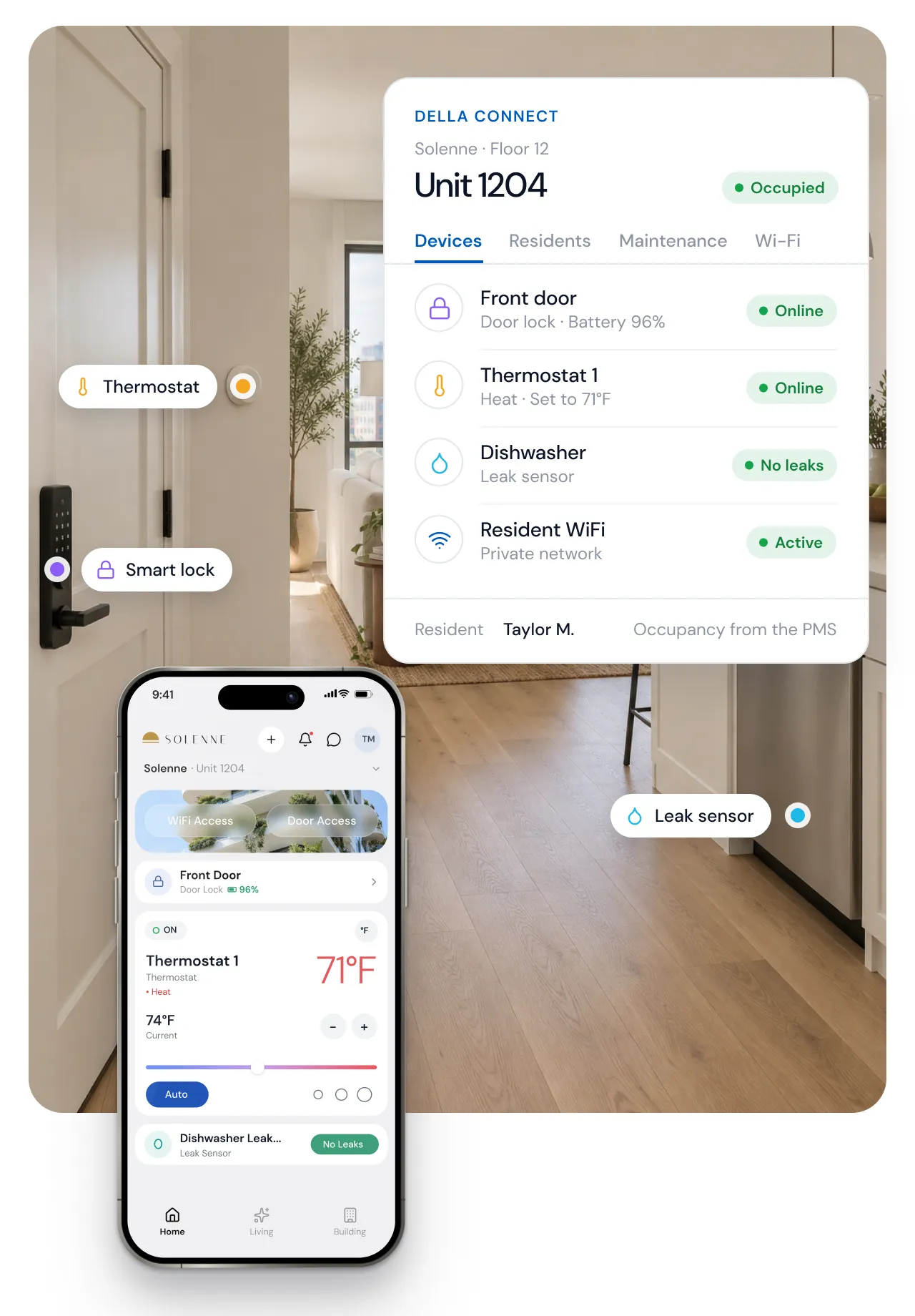
Demonstration apartment and data. Della Resident and Della Connect show the same unit, each with the view its user needs.
A digital lock can open a door. A thermostat can adjust the temperature. A sensor can report a leak.
The greater value comes from connecting those functions to the people and operation behind the apartment.
Della OS brings supported apartment technology into a shared operating environment, linking devices with resident identity, occupancy information and property rules.
That connection helps reduce the separate updates, applications and manual coordination involved in running a connected community.
Property information
Residents, units and lease dates from your PMS
Apartment technology
Supported locks, thermostats, sensors and WiFi
Della OS
One operating environment that links devices with resident identity, occupancy and property rules, and runs the workflows the property configures.
Resident experience
Della Resident: keys, climate, WiFi and community services
Property operations
Della Connect: units, permissions, devices and requests
Availability depends on the package, the installed equipment and how the property is configured.
Compare packages →Bring supported apartment locks and building access into the resident experience. Property teams administer permissions according to approved users, dates and property rules.
Supported lock and access models. Guest and contractor access where the access system supports it.
Give residents control of supported apartment climate functions while helping authorized staff manage connected equipment and configured vacant unit settings.
Supported thermostats, including Honeywell, UEI TIDE and EOS models. Vacant settings follow the property’s configuration.
Supported sensors help identify unwanted water and notify the appropriate people. Connect the alert to the apartment and the property’s response process.
Supported sensors from NEXT, frient and Ecolink. Valve control is an optional addition with compatible valves.
With supported managed WiFi integrations, resident onboarding and offboarding can follow configured occupancy workflows. Private resident networks where the integration supports them.
Della Managed WiFi or a supported WiFi integration.
Bring available device status into the property team’s operating view, such as connection state or battery level for supported devices.
Shown for devices that report status. Details vary by device.
Della Resident connects supported apartment functions with services such as maintenance requests, announcements and amenity reservations.
Included with Della OS. Each property turns on the services it offers.
Move ins, transfers and move outs create work across access, connectivity, resident accounts and apartment settings.
Occupancy Sync connects supported PMS changes to configured workflows in Della OS, helping the property keep those systems aligned.
Prepare supported resident onboarding and apartment services according to the property’s setup.
Activate relevant permissions and services according to configured dates and rules.
Residents use supported apartment functions through Della Resident. Authorized staff manage the operation through Della Connect.
Configured workflows remove or update relevant permissions and services and support the apartment’s transition to its next occupancy state.
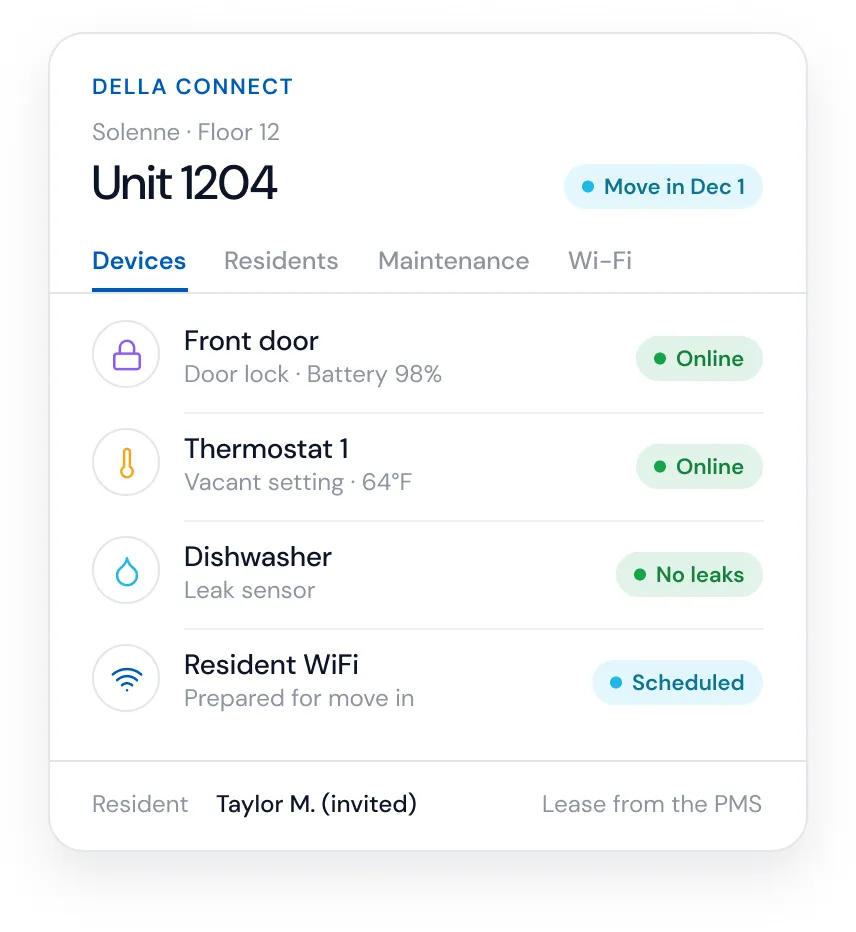
Invitation ready
Prepared from the lease in the PMS. The resident activates the account with a code.
Not active yet
The digital key is scheduled to start on the move in date set by the property.
Network prepared
Resident WiFi turns on with the configured move in workflow.
Vacant setting
The unit keeps the property’s configured vacant setting until move in.
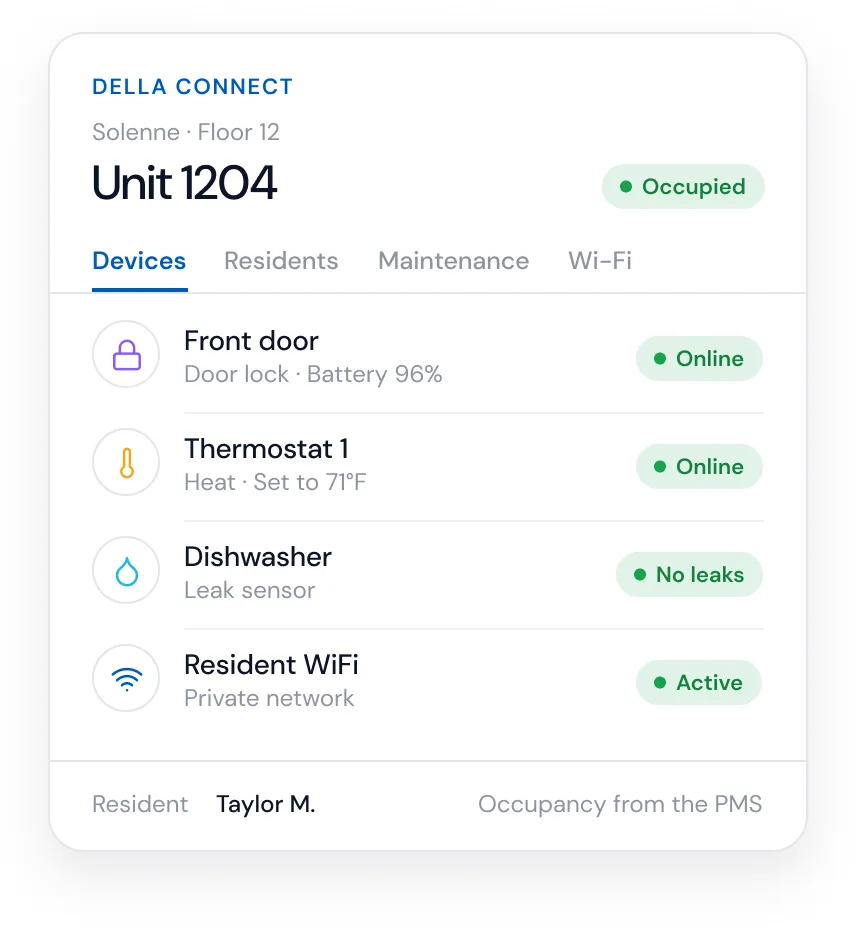
Active
Taylor uses Della Resident for digital keys, climate, WiFi and building services.
Unit, entrance and amenities
Permissions follow the lease and the property’s rules. Guest passes where the access system supports them.
Private resident network
Joined during onboarding, where the WiFi integration supports private networks.
Resident control
Taylor sets the temperature in the app. Staff see the thermostat’s status.
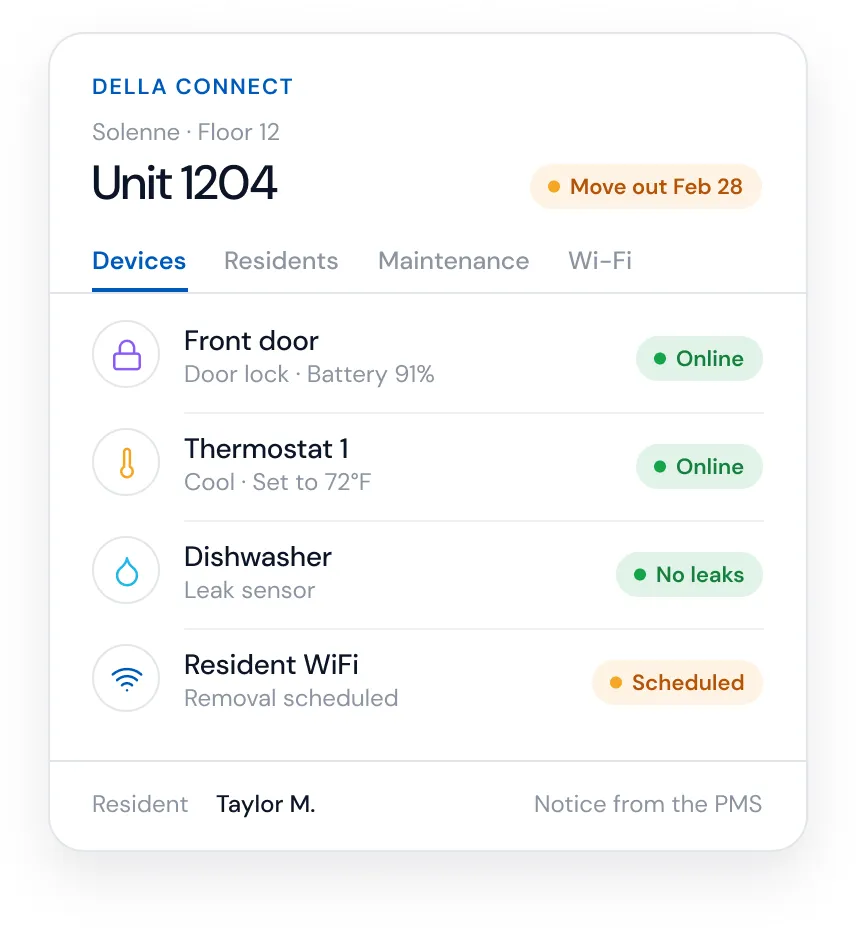
Active until move out
The move out date comes from the PMS.
Ends on the move out date
Digital keys and amenity access end according to the configured rules. Nothing to return.
Offboarding scheduled
The resident network is removed by the configured move out workflow.
Resident control until move out
The vacant setting applies after move out, where the property has configured one.
Unit unassigned
The previous resident is no longer linked to the unit.
Staff and approved vendors
Access by role and approved permission, such as a scheduled visit.
Ready for the next resident
No resident network is active on the unit.
Vacant setting
The property’s configured vacant setting, where one is set up.
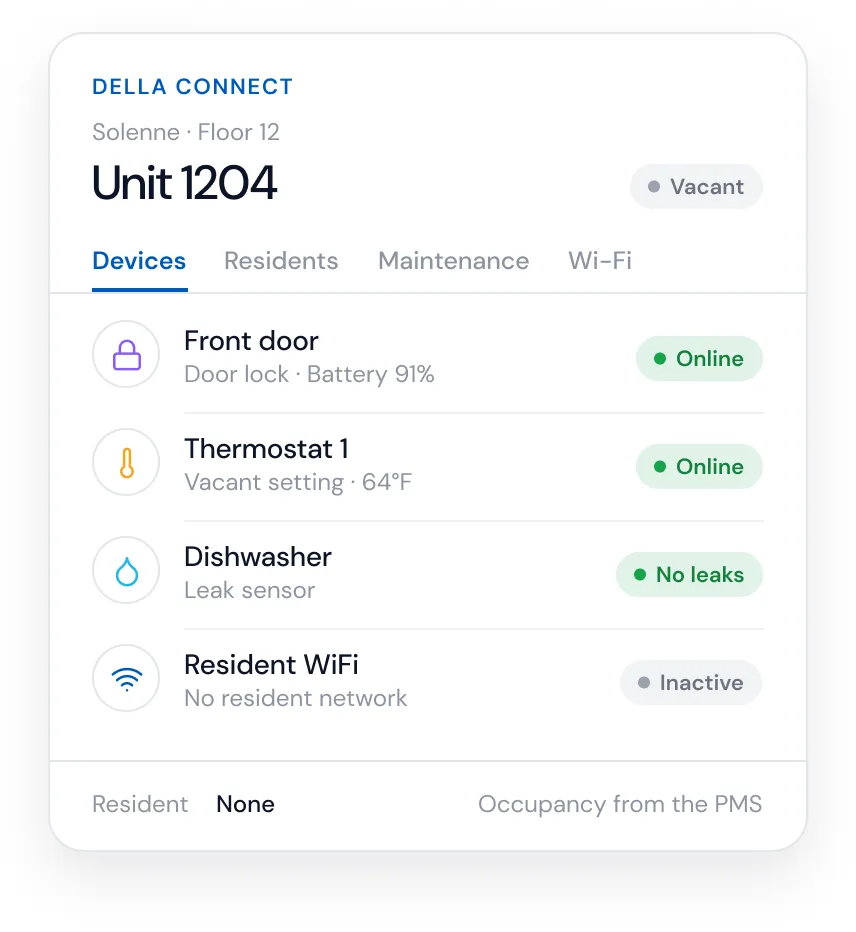
Illustrative configuration. Activation timing, services and device behavior follow each property’s setup, its PMS connection and the installed equipment.
The value is in the coordination between the steps.
Explore Occupancy Sync →Use Della Resident to access supported digital keys, apartment controls and community services through a familiar mobile experience.
Explore Della Resident →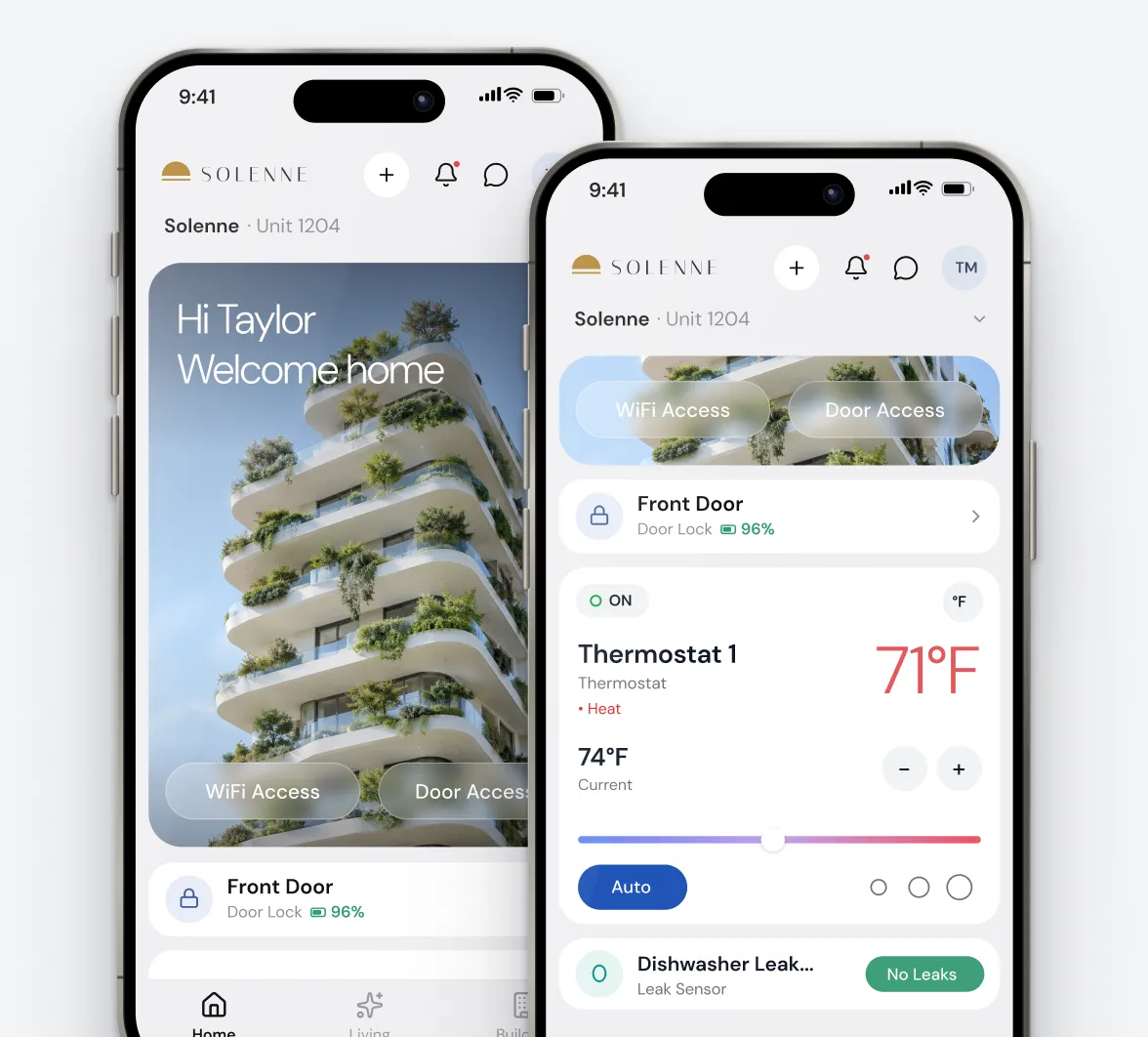
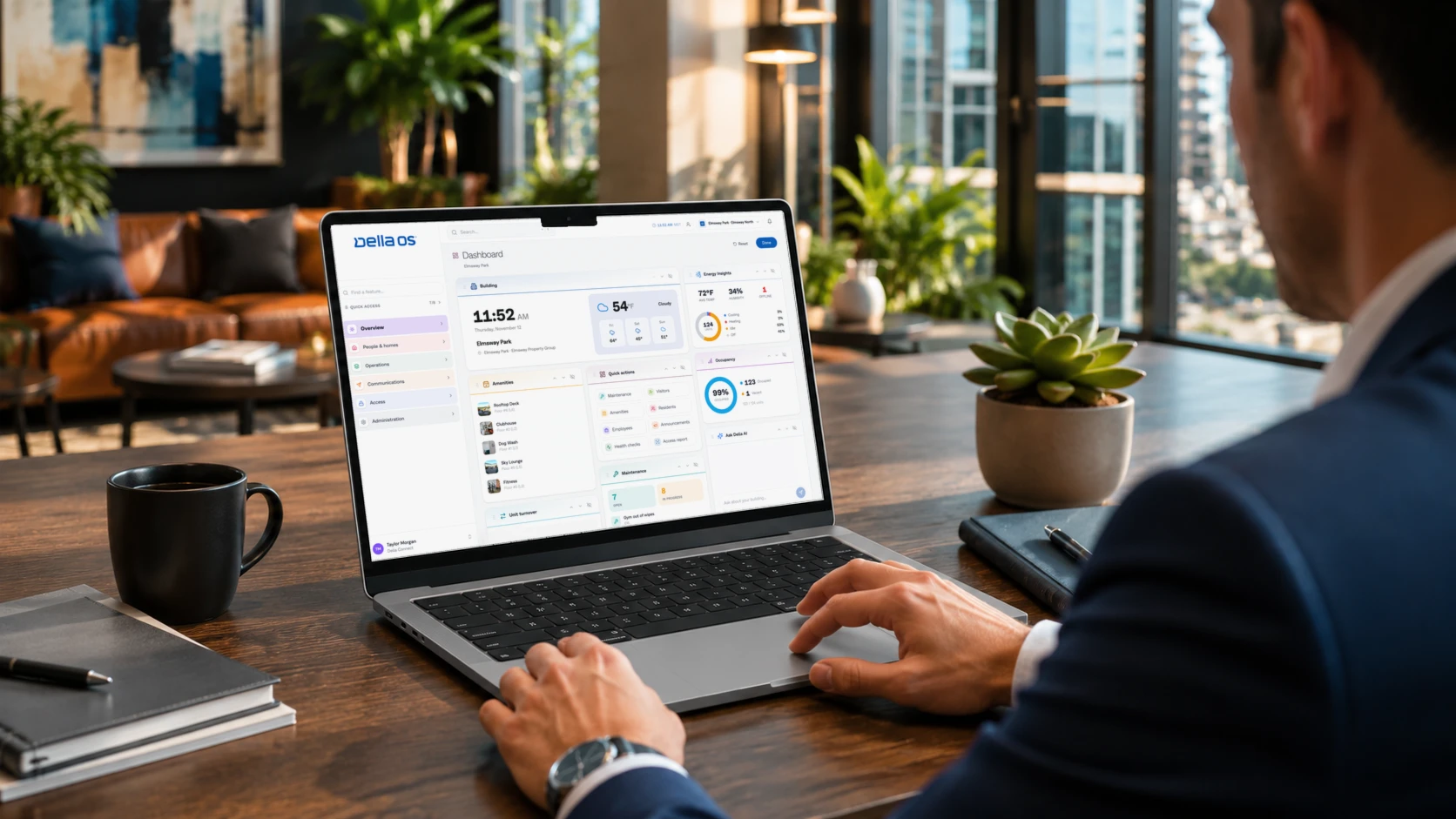
Use Della Connect to manage supported apartment information, resident services and building functions within the property’s daily workspace.
Explore Della Connect →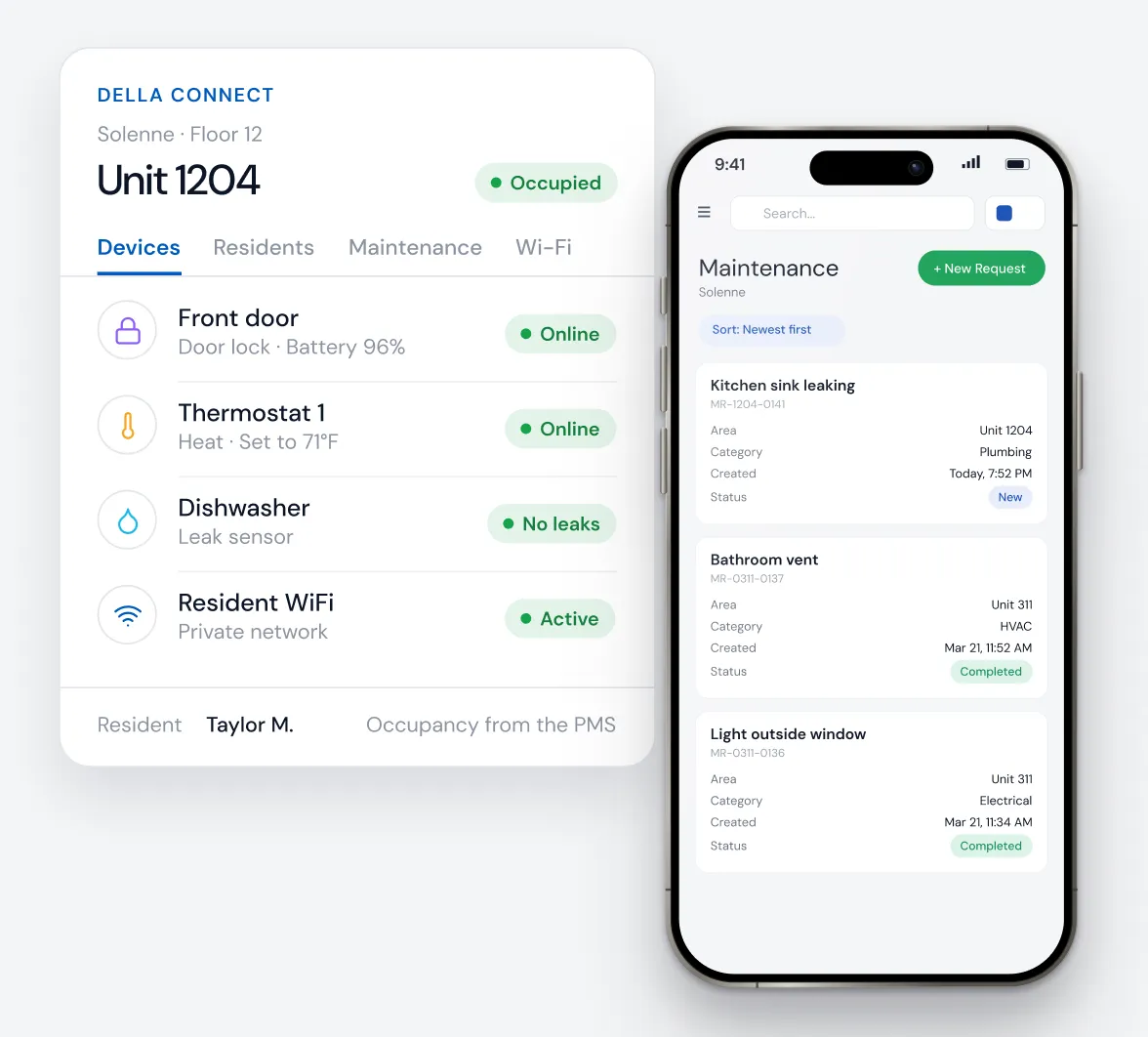
Each person sees what their role allows. Residents control their own apartment. Staff permissions are set by the property, and staff work with unit, device and request information rather than activity inside the home.
Every property has a different mix of locks, access systems, climate equipment and connectivity.
A Della integration partner reviews the installed systems, confirms supported models and functions, and identifies where additional equipment or changes are needed.
Build a practical plan around the property’s existing technology and operating goals.
Compatibility is confirmed at the model, configuration and function level.
Support is confirmed by model and function. Support for one product does not mean support for a manufacturer’s full catalog. Integrations in development are not shown.
Smart apartment systems can use different communication methods, and the right design depends on the equipment and the functions you need.
Your integration partner confirms how devices connect, what infrastructure is required and which capabilities are available in the proposed configuration.
A digital key or code is checked at the lock. A remote unlock is a command sent to a connected lock, only where the model supports it.
An offline lock works without a network at the door. A connected lock can also report status and accept remote changes.
Resident WiFi serves people and their devices. Apartment devices may use their own network, hub or low power wireless connection.
A device can work on its own without reporting to Della. Remote status needs a supported connection.
Detailed technical requirements are covered in the FAQ and confirmed in the property review.
Della can deliver software based value before every apartment has connected hardware.
Start with available functions such as resident communications, maintenance requests, reservations and supported PMS workflows.
Add compatible locks, climate controls, sensors and connectivity as the property’s priorities and investment plan evolve.
Each phase strengthens the same operating environment in Della OS.
of Della’s capabilities work without smart apartment hardware.
Physical device control needs compatible hardware, and some properties need additional infrastructure such as a network for apartment devices.
Residents move between their home, the entrance, parking and shared spaces. Property teams manage the connections between them.
Della OS extends beyond individual apartments into supported building access, amenities, communications and operational workflows.
The result is a connected approach to the community, with the apartment as part of the wider operation.
Digital keys, climate and WiFi
Building entry and visitor access
Assigned spaces and guest parking
Reservations tied to access
Announcements and notices
One Operating Standard. Every Property.
See how Della OS works across the property →The value of a smart apartment investment depends on how it changes the work of operating the property and the experience of living there.
Consider the administration around access changes, the coordination of resident services, the management of vacant apartments and the information available when something needs attention.
Della connects these priorities through a common operating foundation.
What can residents do from one app at this property, from the first day?
How many systems does a single access change touch today?
Which changes follow the lease, and which still depend on manual updates?
Which installed models are supported, and for which functions?
Who supports the property team after installation, and how?
Can devices, services and properties be added to the same environment?
What will it cost to install, operate and change over time?
Operated by Asset Living. Della OS brings the property’s access, climate, intercom and amenity systems into one operating environment for residents and staff.
Residents book amenities, receive notifications and manage parcels in one app. Amenity reservations update access permissions automatically.
Della is delivered through integration partners who assess the property, design the supported solution, install and commission the technology, and coordinate ongoing support.
The process begins with your existing systems and the experience you want to deliver.
Confirm equipment, connectivity, supported integrations and operating goals.
Configure the approved solution and validate the intended workflows.
Equip the property team to use the system and establish the appropriate support process.
Della works with more than 30 certified integration partners. Partners support each property on site, and Della supports the platform and the partners.
A smart apartment platform coordinates supported apartment technology, such as locks, thermostats, sensors and WiFi, with the tools residents and property teams use every day. Della OS also connects that technology to occupancy from your property management system and to the property’s rules, so access, connectivity and apartment settings can follow the lease through configured workflows.
Devices provide individual functions: a lock opens a door, a thermostat controls temperature, a sensor reports water. A platform connects supported devices with the people who use them, the information about each apartment and the workflows the property runs. That lets a move in, a move out or a leak alert reach the right people without separate apps and manual updates.
Often, but it depends on the model, its configuration and the functions you need. A Della integration partner reviews your installed equipment, confirms which models and functions are supported and identifies anything that needs to be added or changed. Support for one product from a manufacturer does not mean support for its full catalog.
No. Your property management system remains the record for leases, residents and the business. Della reads supported occupancy information from it and uses that information to coordinate building operations such as access, connectivity and resident services. The PMS runs the business; Della runs the building. Della works with Yardi, Entrata, RealPage, AppFolio and ResMan, and connection details vary by PMS.
Not always. Requirements depend on the equipment, how it communicates and the functions you want. Some locks work offline at the door, while connected locks and remote features need a network. Resident internet and the connectivity used by apartment devices are separate questions, and your integration partner confirms what the proposed configuration needs.
Yes. Many Della functions are software, including resident communications, maintenance requests, amenity reservations and supported PMS workflows. Controlling locks, thermostats and sensors requires compatible hardware, which you can add in later phases.
With Occupancy Sync and a supported PMS connection, the move out date can drive configured changes, such as ending the resident’s digital keys and amenity access, removing the resident network and applying a vacant setting where the property has one. Timing and the services involved depend on the property’s configuration and its integrations.
Yes, through Della Resident. Depending on what the property offers, residents can use digital keys, control supported apartment devices, manage WiFi, invite guests, book amenities, submit maintenance requests and read announcements in the same app.
Through Della Connect, the property team’s workspace. Authorized staff manage units, residents, permissions, maintenance requests and supported devices, with access set by role. Della Connect Mobile supports staff who work away from their desks.
Yes. Many properties start with software functions and add apartment technology over time. Phasing works best with a coordinated plan for equipment, connectivity and operations, so each phase builds on the same operating environment instead of adding another separate system.
Della is delivered through certified integration partners. They assess the property, design the supported solution, install and commission the technology and coordinate ongoing support. Della provides the platform and supports the partners.
Cost depends on the property, the package, the existing equipment and the functions you choose. See the current packages, or book a walkthrough for a property specific proposal.
The devices make the apartment connected. Della gives that connection an operating purpose.
Show us your PMS, existing equipment and operating priorities.
We will walk through the supported resident experience, the property team’s management tools and a practical path to deployment.
Your PMS runs the business.Della runs the building.
Across every system and every property.

Solutions
Digital SignageOccupancy SyncPerks and ServicesSmart ApartmentsStudent HousingCondominiumsIntegrationsResident app