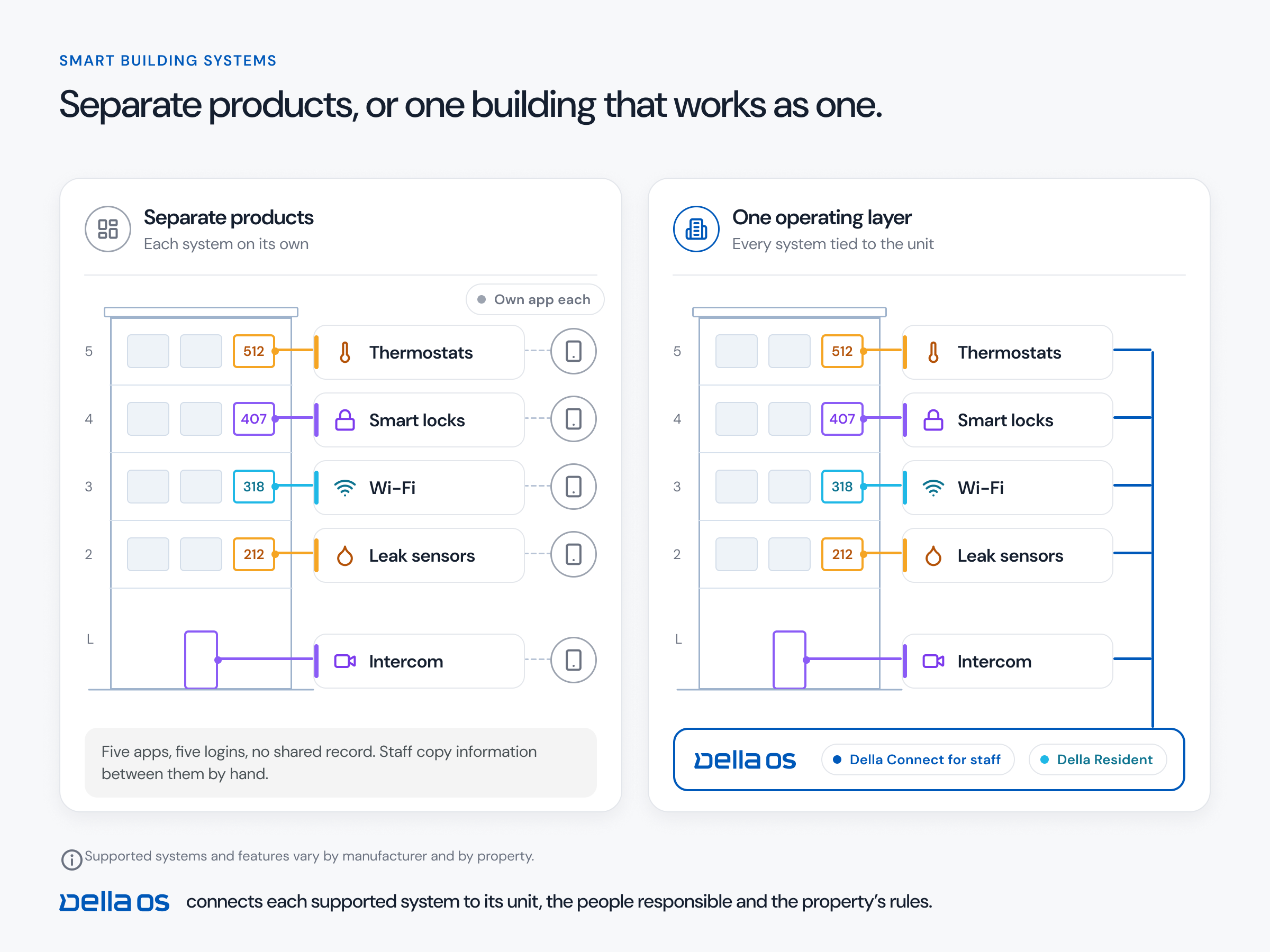
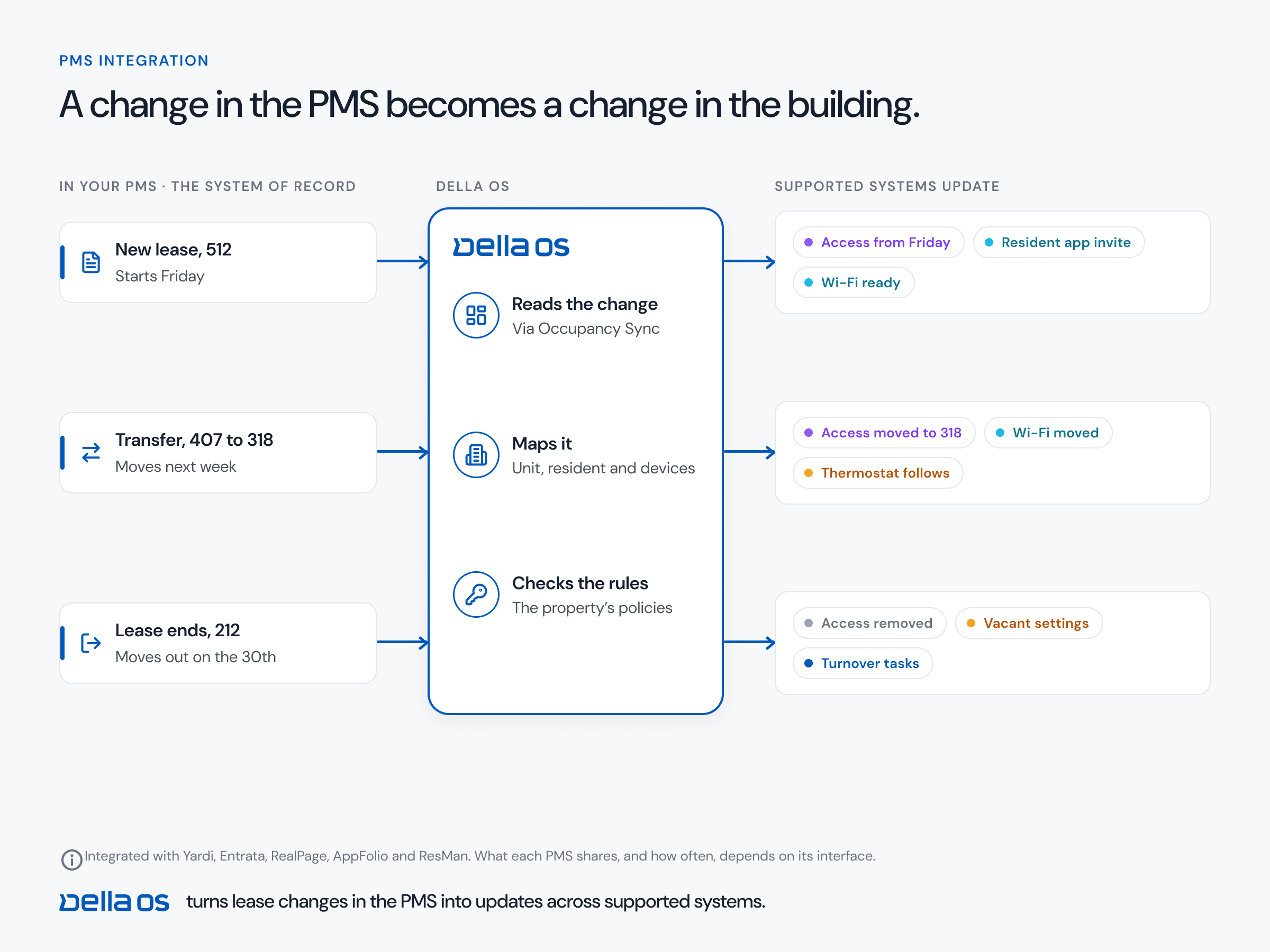
The short answer: connect your property management system (PMS) to building devices through one operating layer, not a separate integration for each device. The layer reads lease, resident and unit events from the PMS and turns each one into the right changes across locks and access control, Wi-Fi, the intercom directory, thermostats, parking, parcel lockers, mailboxes, storage and amenities. The PMS stays the system of record, and nobody types the same resident into each system.
Why one integration per device doesn't scale
Many device vendors offer their own PMS connection. Each one follows its own rules and timing, and a property with five device systems and two PMS platforms ends up maintaining ten connections. Staff still fill the gaps by hand, and a missed step at move out leaves a former resident with working access. An operating layer connects once to each PMS and once to each device system, then applies one set of rules to all of them.
What a lease event should change in the building
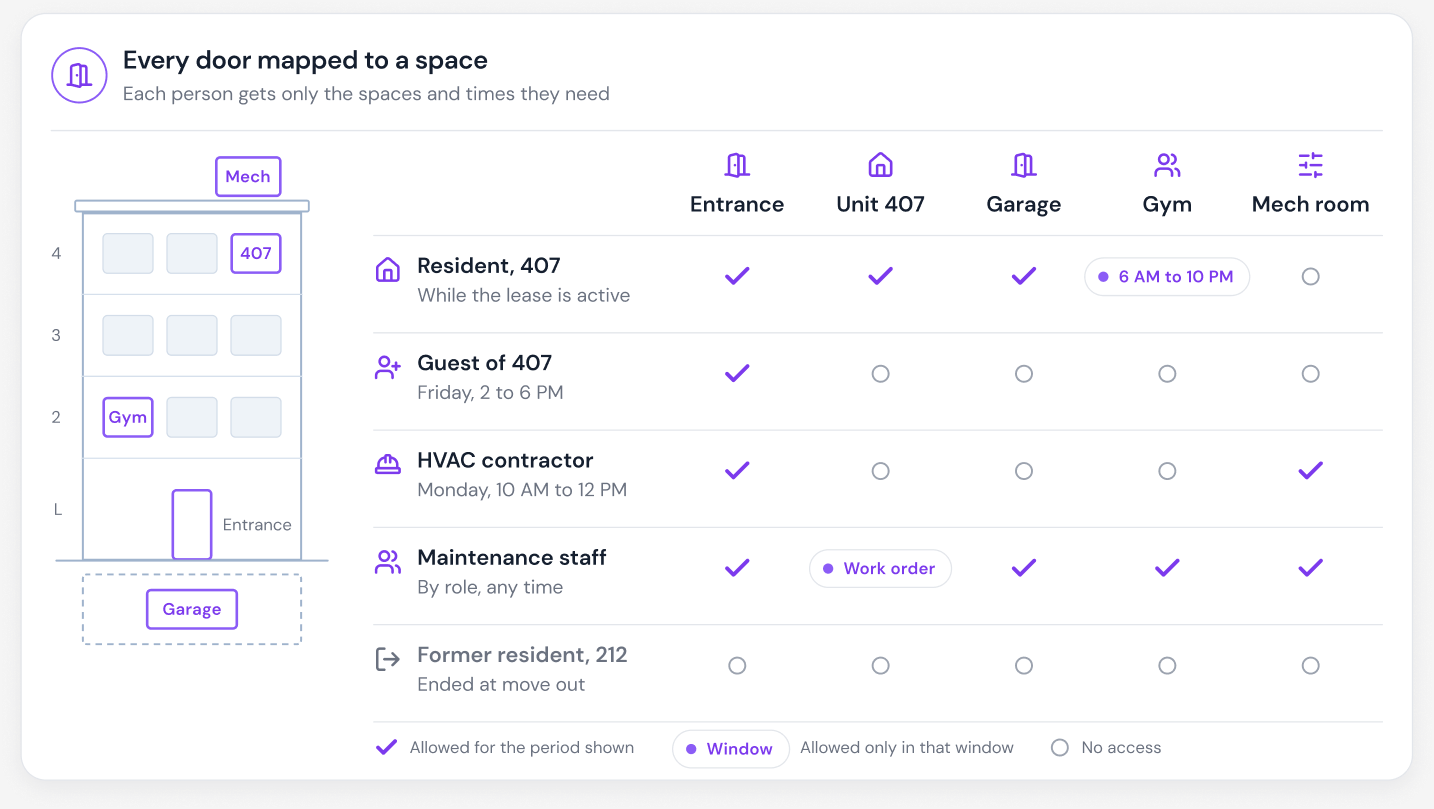
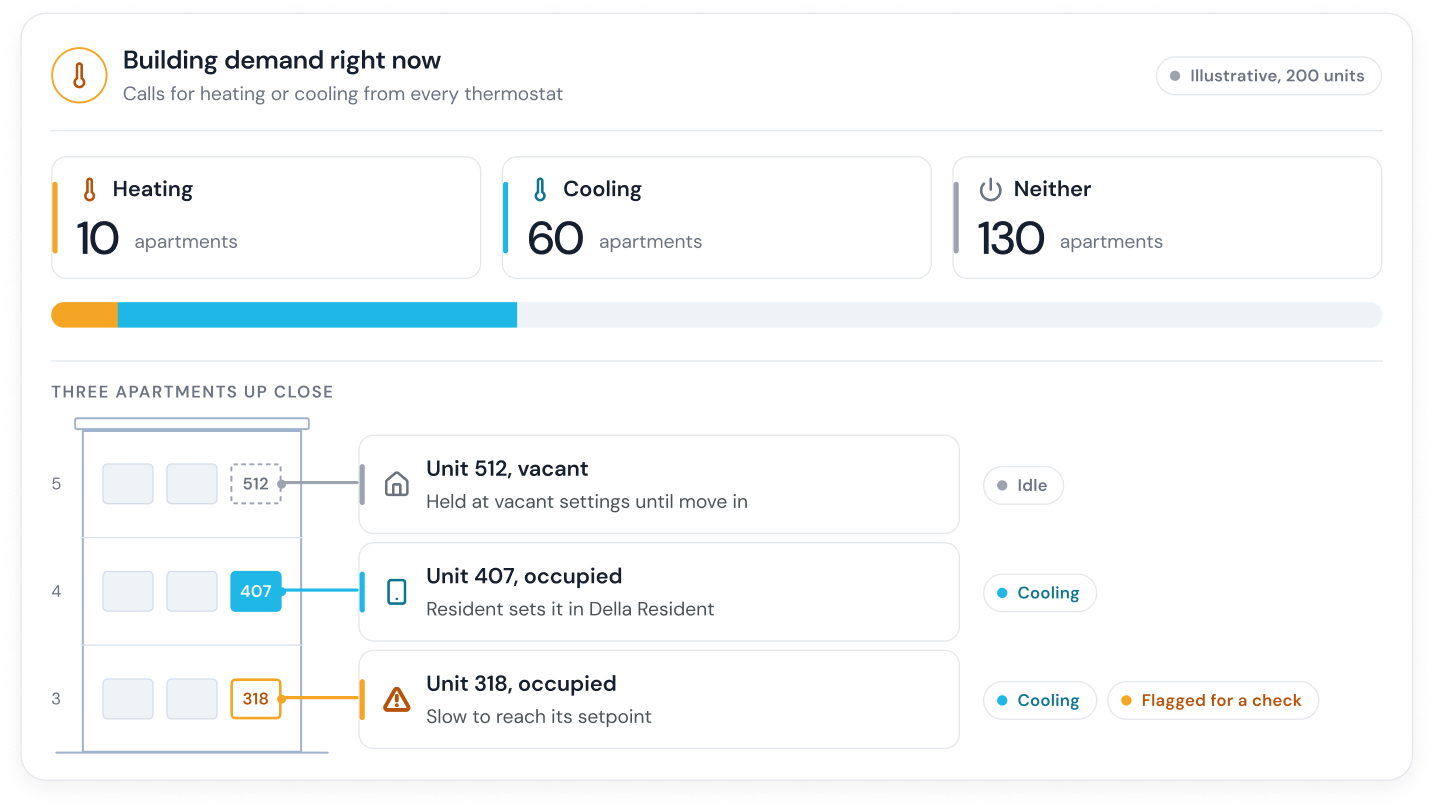
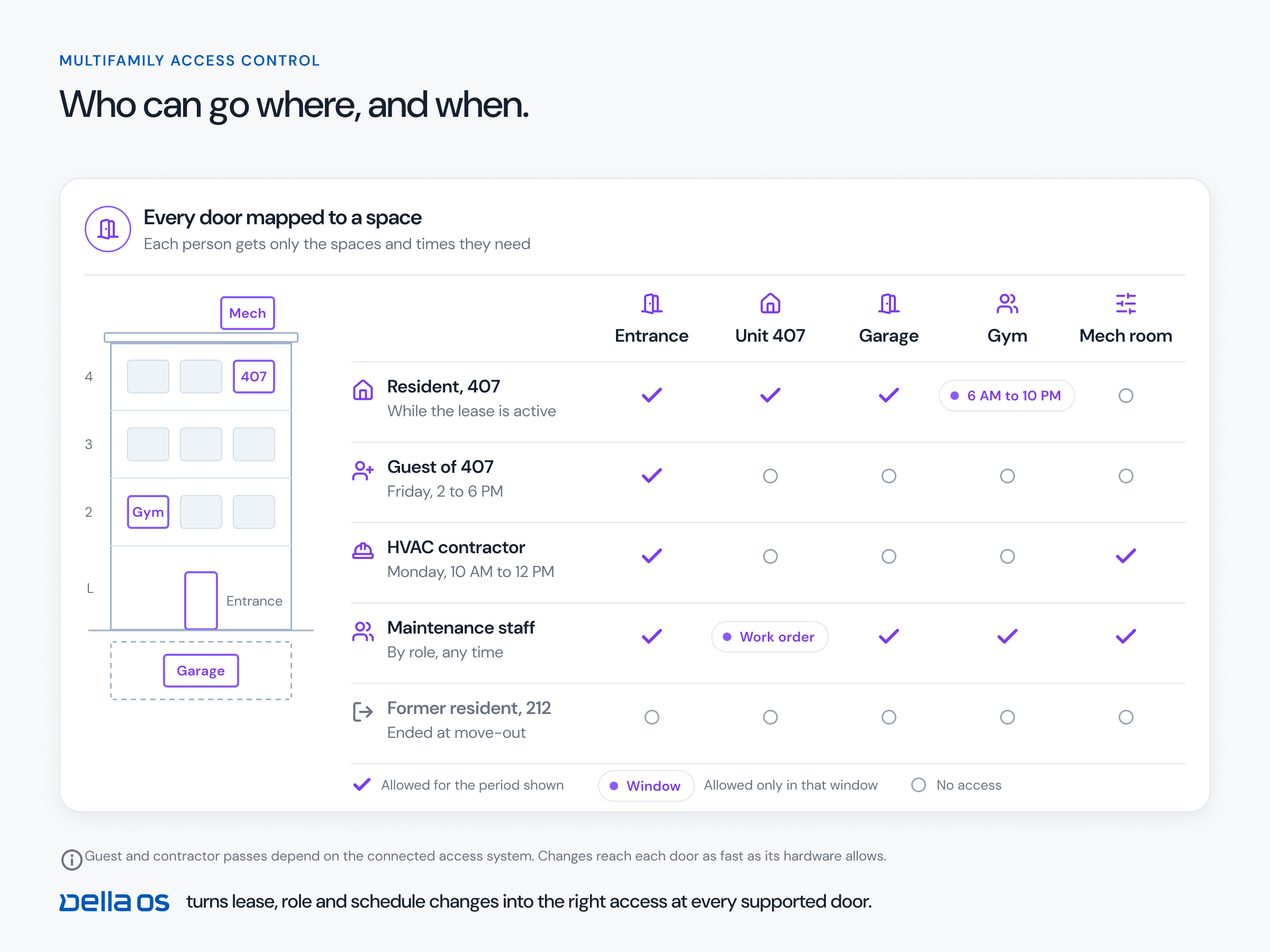
- Move in: digital keys to the unit, entrances and amenities; Wi-Fi; the intercom listing; parking, mailbox, parcel locker and storage; the resident app ready to use; and the unit leaves its vacant thermostat settings.
- Transfer: access and services move to the new unit on the transfer date, and the old unit returns to vacant settings.
- Move out: keys and Wi-Fi removed, the intercom listing and services ended, the unit switched to vacant settings, and turnover tasks started.
The full list is in the move in, transfer and move out checklist.
How to connect them, step by step
- Connect the PMS. Confirm which lease events it shares, such as new lease, move in, transfer, renewal and move out, and how quickly.
- Map the building once. Units, doors, devices and shared spaces, and which of them serve each unit.
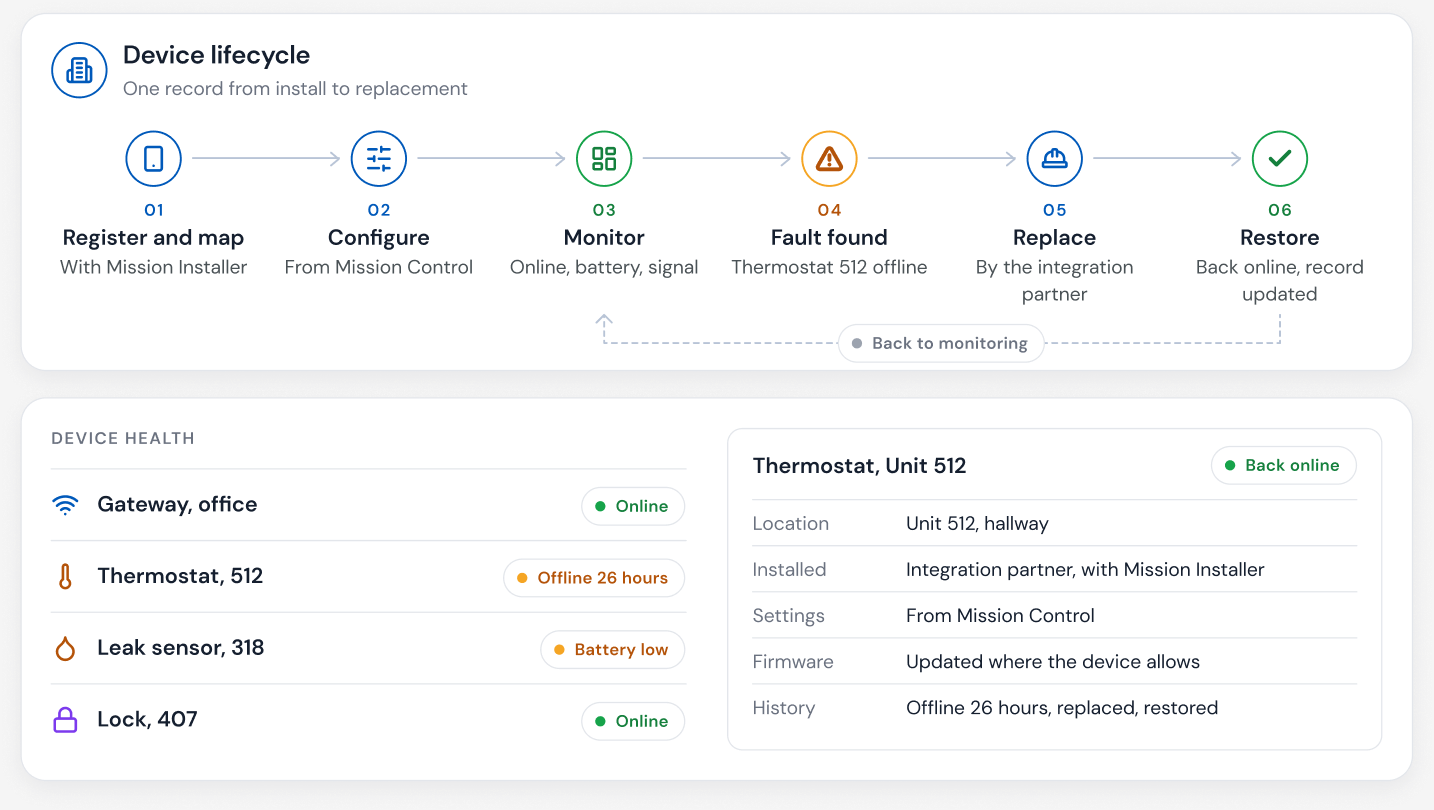
- Connect each device system. Access control and locks, intercom, Wi-Fi, thermostats, sensors and parcel lockers. Confirm compatibility model by model.
- Write the rules once. What each lease type gets at move in, transfer and move out, and when each change happens.
- Test before going live. Run a test move in and move out on one unit, check that every system changed, and check that each change was logged.
- Keep staff in control of exceptions. An early key handoff or a delayed move out should be a quick, recorded override, not a workaround.
Questions to ask before you connect
- Which PMS events does it act on, and on which PMS platforms?
- Which devices follow the lease: access, Wi-Fi, intercom, thermostats, parking, parcels, storage?
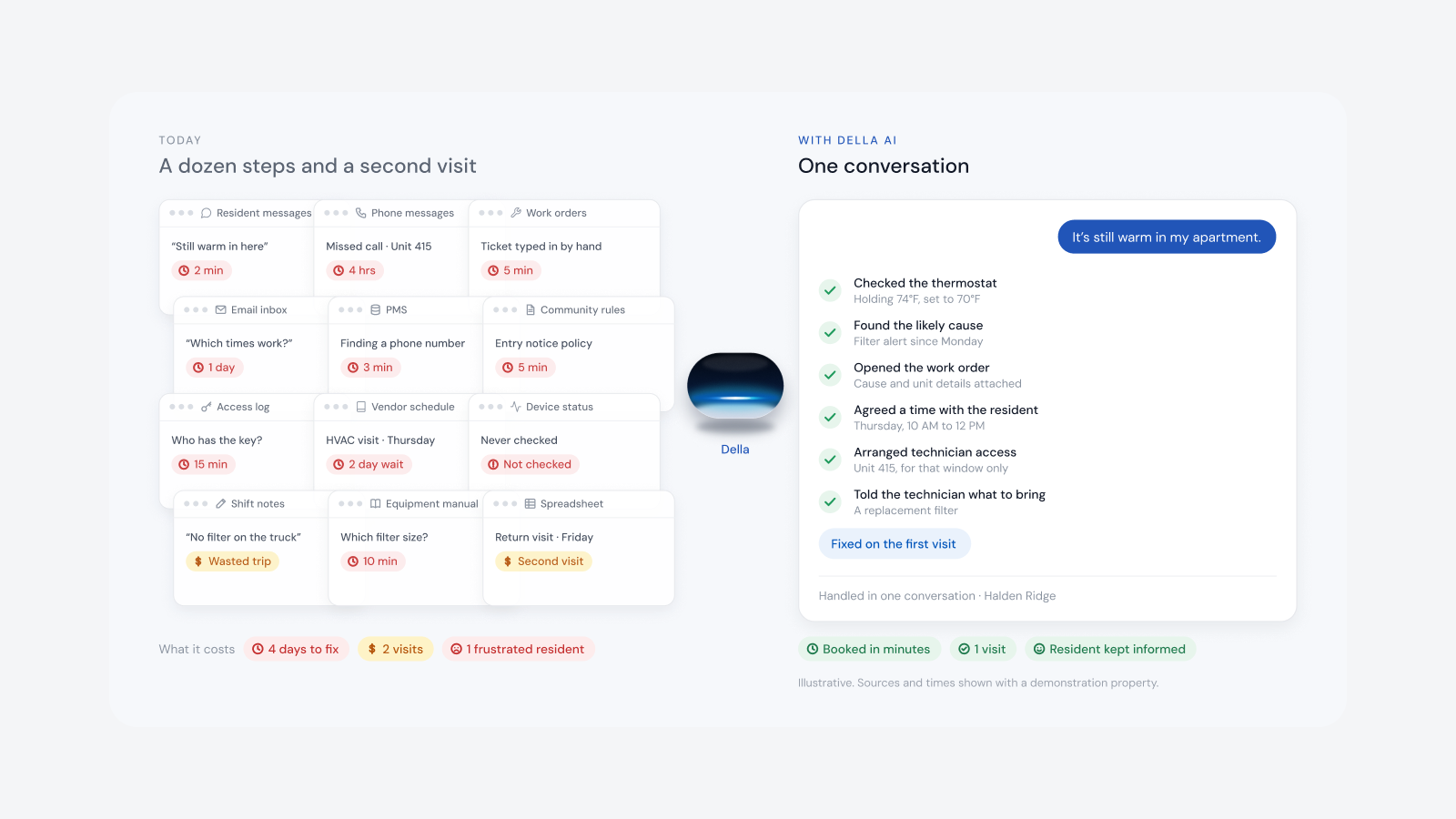
- Does information flow back to the PMS, such as maintenance requests?
- What happens when a move date changes in the PMS?
- Can properties on different PMS platforms run the same rules?
- How do doors behave if the network goes down?
Where Della OS fits
Della OS is the smart building operating system for multifamily and residential properties, from apartments and student housing to senior living and condominiums. It connects to Yardi, Entrata, RealPage, AppFolio and ResMan, with more PMS integrations coming in 2027, and to more than 40 building systems. Occupancy Sync turns each lease event into the right changes for keys, Wi-Fi, the Video Intercom listing, parking, mailbox, parcel lockers, storage, bike room and amenity access. Where the PMS allows it, maintenance requests entered in Della appear in the PMS. Your PMS runs the business. Della runs the building.
Frequently asked questions
How do I connect property management software to building devices?
Use one operating layer that reads lease events from the PMS and turns each one into the right changes across every connected device, rather than a separate integration for each device.
Which property management systems connect to building devices through Della OS?
Yardi, Entrata, RealPage, AppFolio and ResMan, with more PMS integrations coming in 2027.
Does connecting building devices replace the PMS?
No. The PMS stays the system of record for leases, residents and rent. The operating layer uses its events to run the building.
Can information flow back to the PMS?
Where the PMS allows it. In Della OS, a maintenance request entered in Della can appear in the PMS as if it had been entered there.
Can a portfolio with more than one PMS use the same rules?
Yes. Della OS gives every property the same workflows and screens, whichever PMS it runs.
How quickly do changes reach the building?
Within moments of being recorded in the PMS. Exact timing depends on the PMS and the type of event.
Read how to connect your PMS to smart locks or what PMS integration means, or book a walkthrough on one of your own properties.