Unit turnover is the work between one resident moving out and the next moving in: inspections, repairs, cleaning and resetting the unit. In Della OS, it starts from the lease in the PMS and runs in Della Connect.
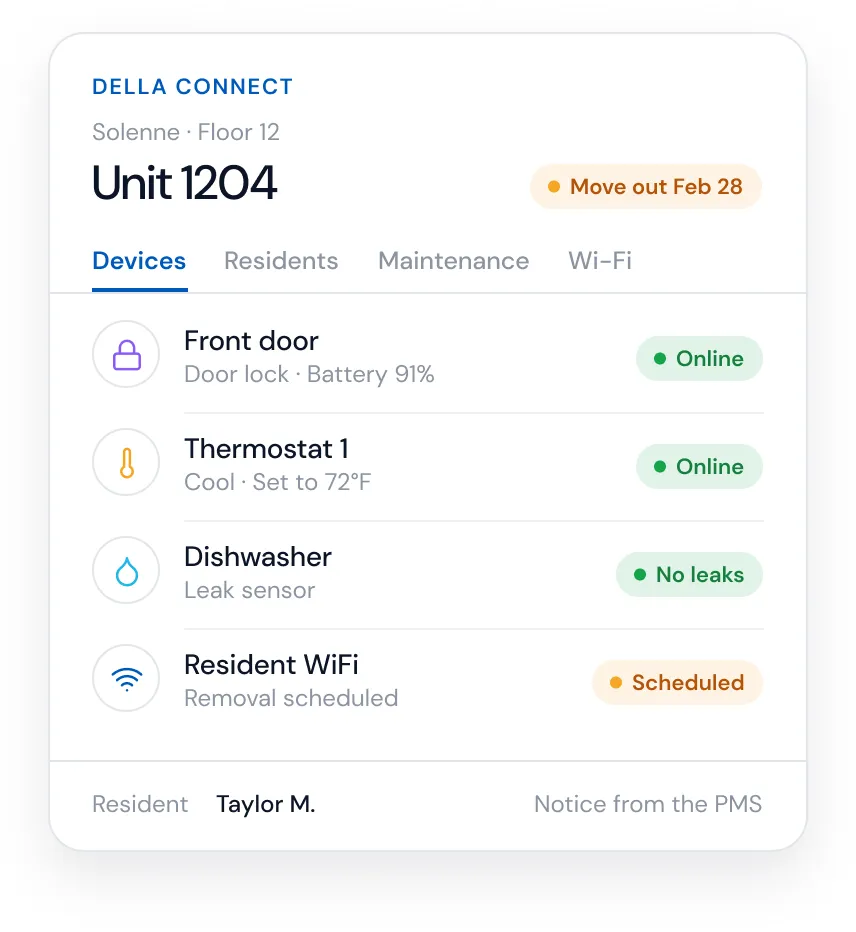
Every vacant day costs rent. Turnover touches many people and systems: the move out inspection, make ready repairs, cleaning, keys, WiFi, thermostat settings and the next resident's welcome. When it runs on spreadsheets and memory, steps get missed and units sit empty longer.
When a lease ends, the unit is inspected, damages are recorded with photos, repairs go to maintenance, the unit is cleaned and readied, and access and services are reset for the next resident. A unit status tells the team which homes are occupied, vacant or ready.
Occupancy Sync reads move outs from Yardi, Entrata, RealPage, AppFolio or ResMan and starts turnover automatically: access and services are removed, supported thermostats can move to a vacant setting and leak watch stays on. Move out and make ready inspections run in Della Connect, findings are photographed and sent as work orders, and every unit carries a current status, so inspections line up with the dates in the lease.
Fewer missed steps, faster turns, less energy wasted in empty units and the same process at every property.
Yes, where the PMS is connected. A move out recorded in the PMS starts the turnover workflow, and staff handle any exceptions in Della Connect.
It is removed at move out, so the former resident's digital keys and resident WiFi stop working.
Yes. Move out and make ready findings are photographed and saved to the unit's record, and repairs can be sent straight to work orders.
Occupancy Sync · Move in and move out automation · Vacant unit energy settings · Della Connect
Della OS walkthrough
Book a walkthrough and we'll show you how Della OS would run one of your properties, with your PMS and the hardware you already have.
Related

Your PMS runs the business.Della runs the building.
Across every system and every property.

Solutions
Digital SignageOccupancy SyncDella MarketplaceSmart ApartmentsStudent HousingCondominiumsSenior LivingIntegrationsResident app