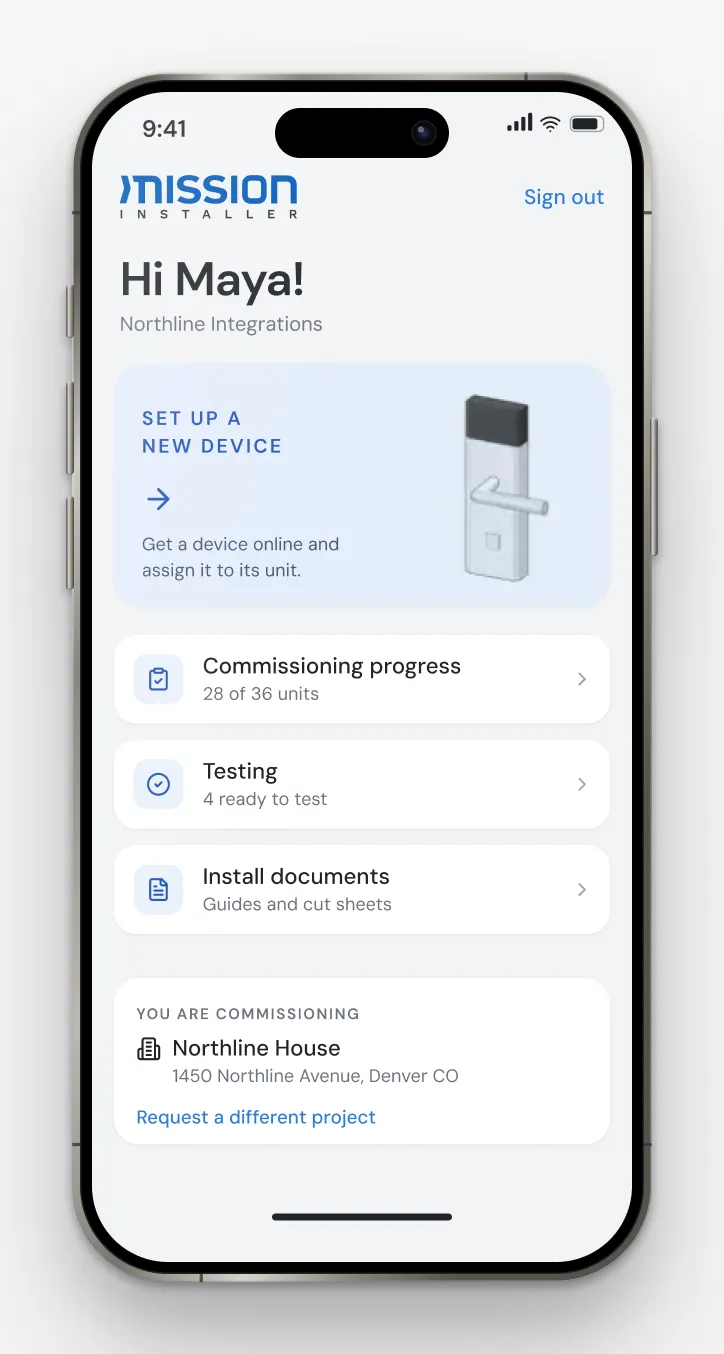
Mission Installer is the Della app installers use in the field. It shows each unit's approved equipment with install guides and cut sheets, brings each device online, commissions and tests it, and keeps a photo of the finished install.
A design only matters if it is installed the way it was designed. On many projects, technicians work from drawings, notes and phone calls, and each sets devices up a little differently. What was actually installed lives in someone's memory, so the building starts its life with gaps nobody can see.
The installer opens the project and enters the unit. The app shows the equipment approved for that unit, with install guides and cut sheets. The installer powers each device on, brings it online, commissions it and tests it, then takes a photo of the finished install.
Mission Installer takes its project from Mission Control, so every installer works from the same design. InSync checks each device against that design before it is tested and marked commissioned. The finished record stays with the building, so the property team and the integrator start from what was actually installed.
Installs that match the design, a verified record from day one, and buildings that run to the same standard whichever company installed them.
Technicians working for Della's integration partners, on site at each building.
The device stays InSync. The same relationship carries it through health checks, diagnostics, alerts, supported updates and replacement.
Mission Control · Commissioning · Della InSync · Smart building integrator
Della OS walkthrough
Book a walkthrough and we'll show you how Della OS would run one of your properties, with your PMS and the hardware you already have.
Related

Your PMS runs the business.Della runs the building.
Across every system and every property.

Solutions
Digital SignageOccupancy SyncDella MarketplaceSmart ApartmentsStudent HousingCondominiumsSenior LivingIntegrationsResident app